Every system we have shipped, open for inspection.
This portfolio is built the way we build for clients: as an internal tool. Open any deployment to see its real screens, the workflows it runs, what it is built on and what changed.
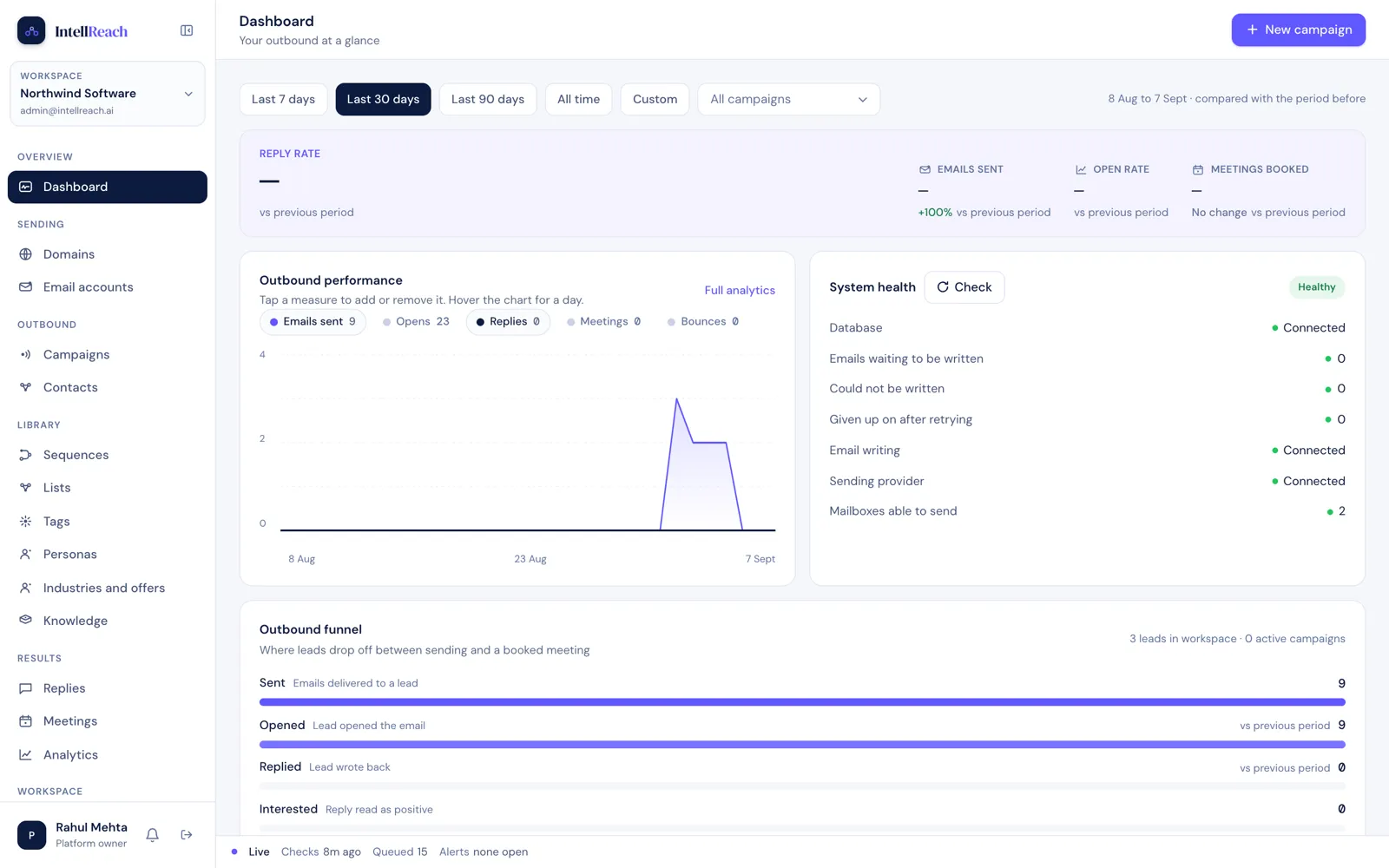
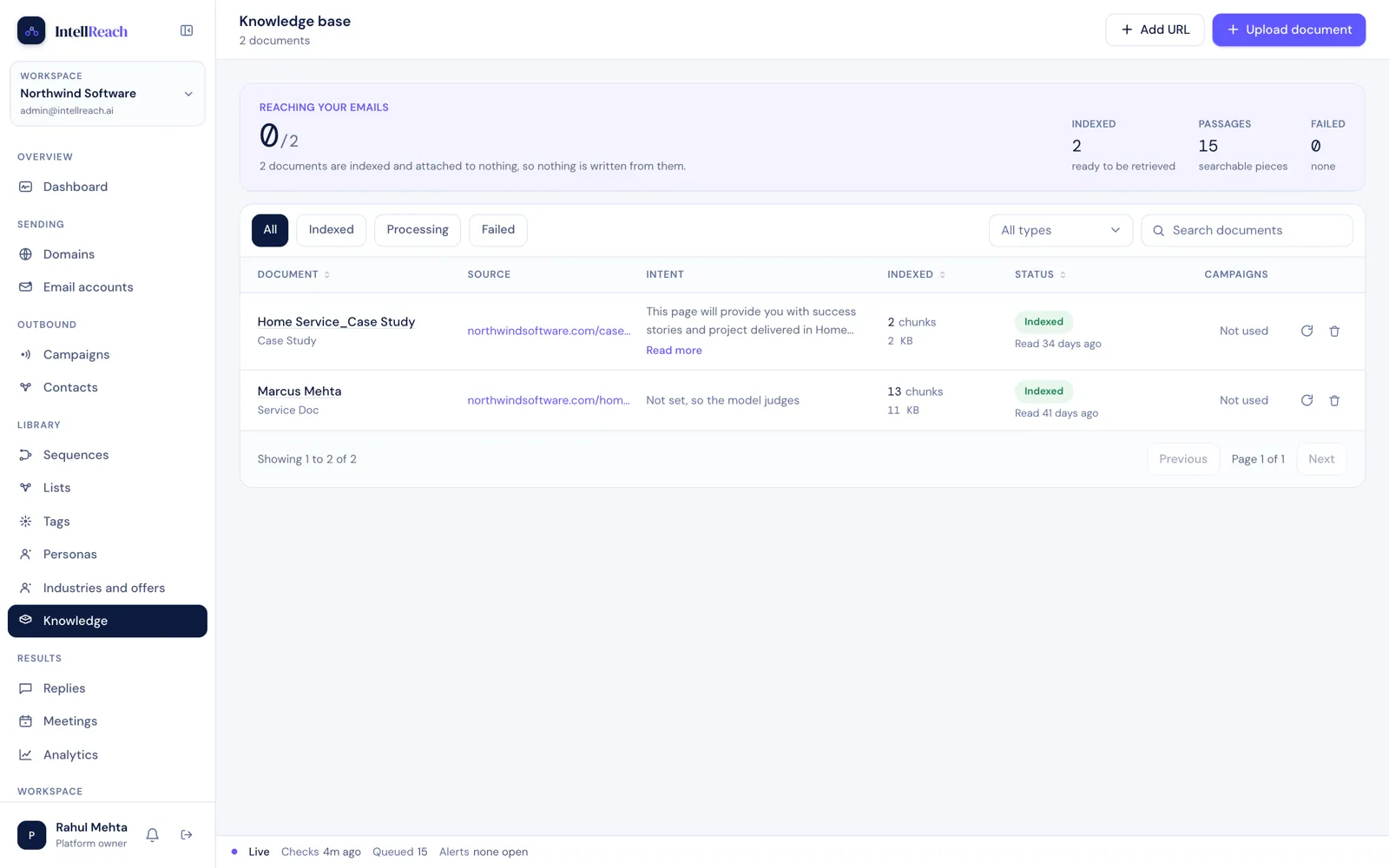
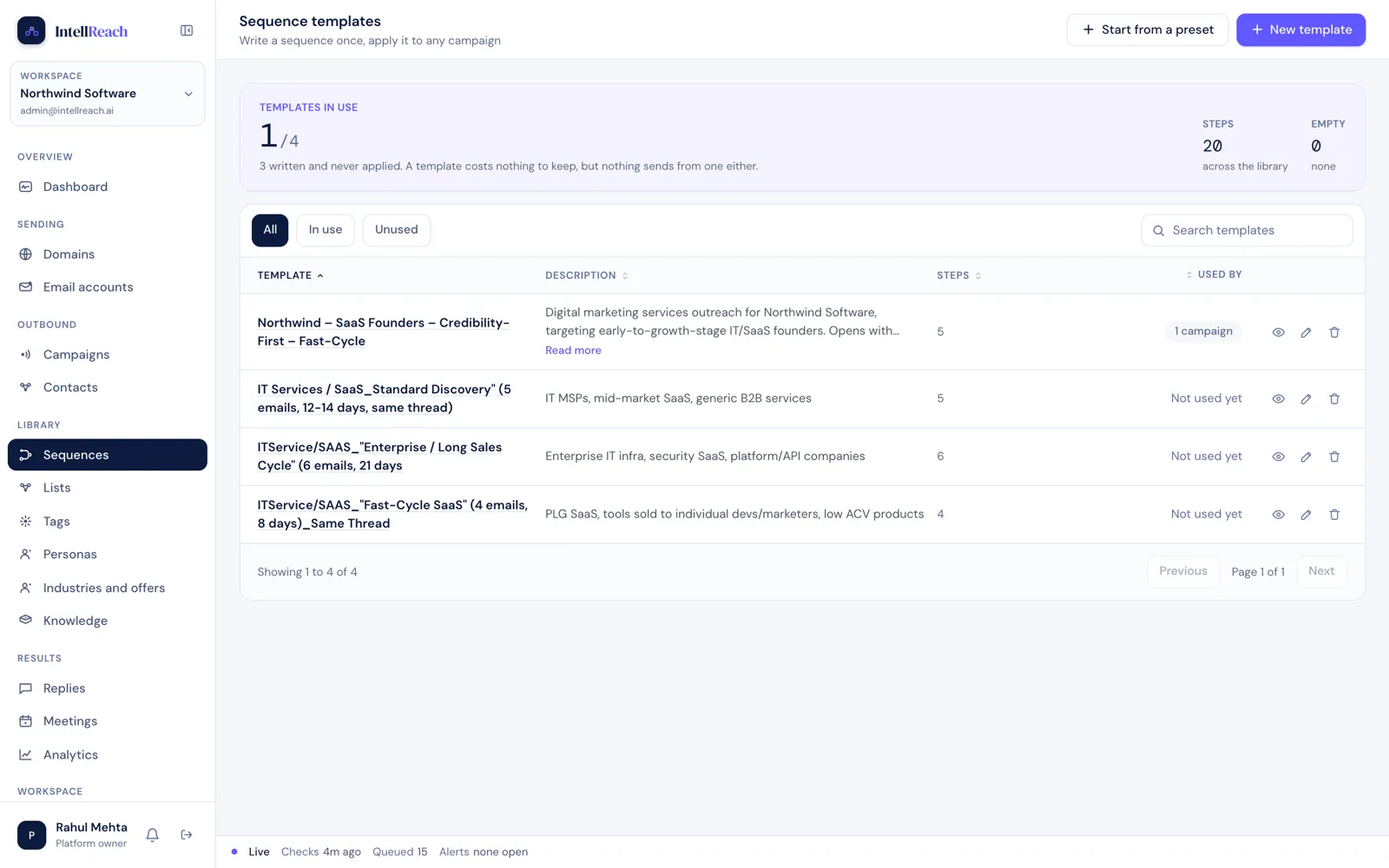
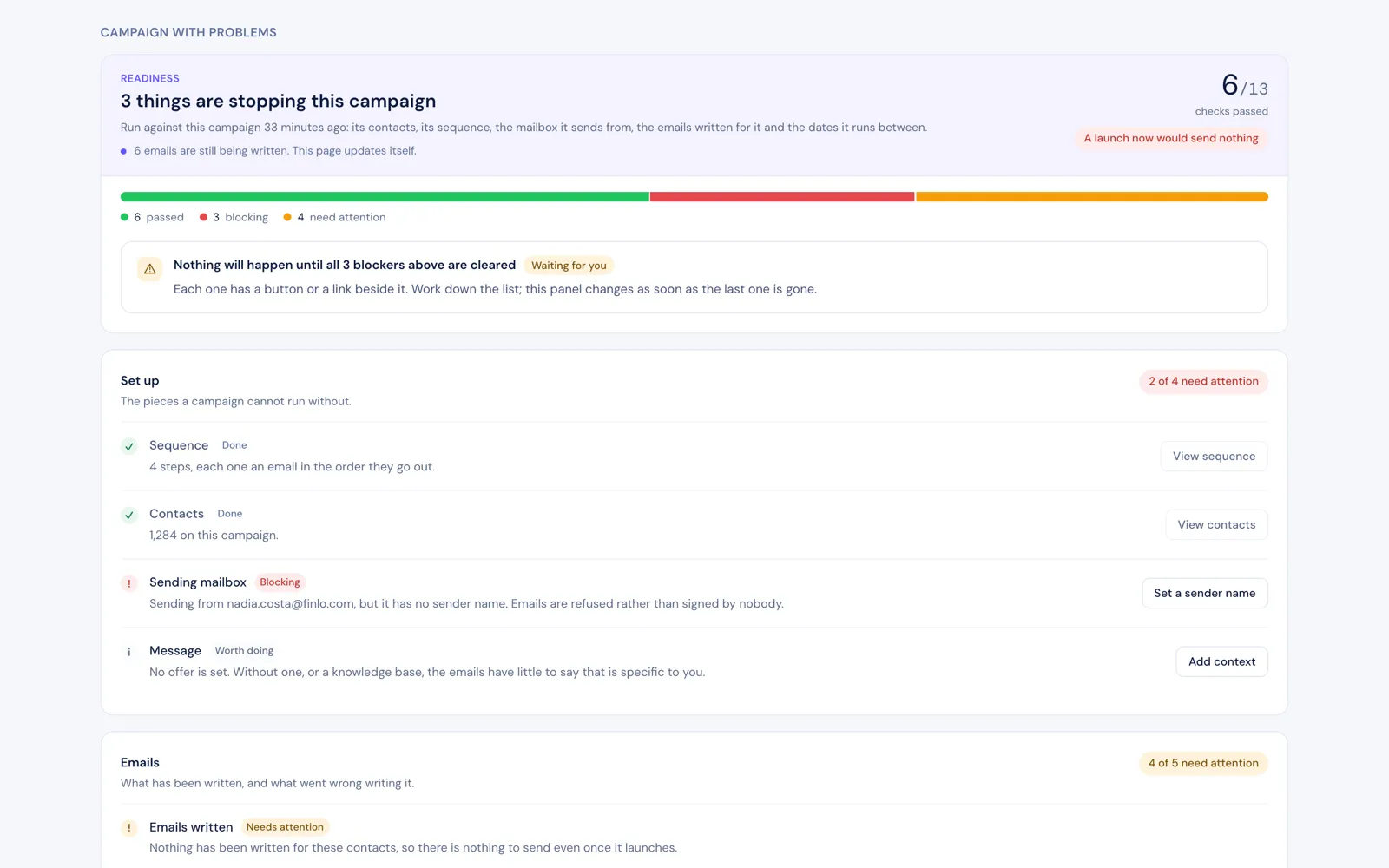
IntellReach needed an outbound system that writes like a person and knows when to stop. SBD built a multi-tenant platform that ingests and verifies contacts, writes each email with Claude from a knowledge base, runs follow-up sequences, classifies replies, and routes interested prospects to a human.
11product areas in one platformDashboard, campaigns, contacts, lists, personas, sequences, knowledge, inboxes, domains, meetings and privacy.
Every rowisolated by tenantRow-level security scopes every read to the caller's workspace.
3scheduled jobs run it allA ten-minute tick, hourly alerts and a daily run. No separate queue service.
changes.diff−4+4
−Before: Prospect research and first emails written by hand
−Before: Follow-ups tracked in spreadsheets
−Before: Replies sorted manually across inboxes
−Before: No shared knowledge behind the messaging
+After: Contacts ingested, verified and enriched automatically
+After: Multi-step sequences that run on schedule
+After: Replies and bounces classified, interested prospects routed to a person
+After: Every email drafted from a curated knowledge base
Walkthrough
IntellReach AI · AI outbound sales platform
Workflows
Each row is a workflow in production: what triggers it, and what it does.
Contact ingestWhenA list is uploadedThenAddresses verified, contacts deduplicated and assigned to a campaignIdle
Email generationWhenA contact enters a sequenceThenA personalised email written from the knowledge base and queuedIdle
Reply handlingWhenA reply or bounce arrivesThenClassified, sequence paused, interested prospects routed to a personIdle
Readiness checksWhenA campaign is about to startThenDomains, inboxes and content checked, blockers listed before sendingIdle
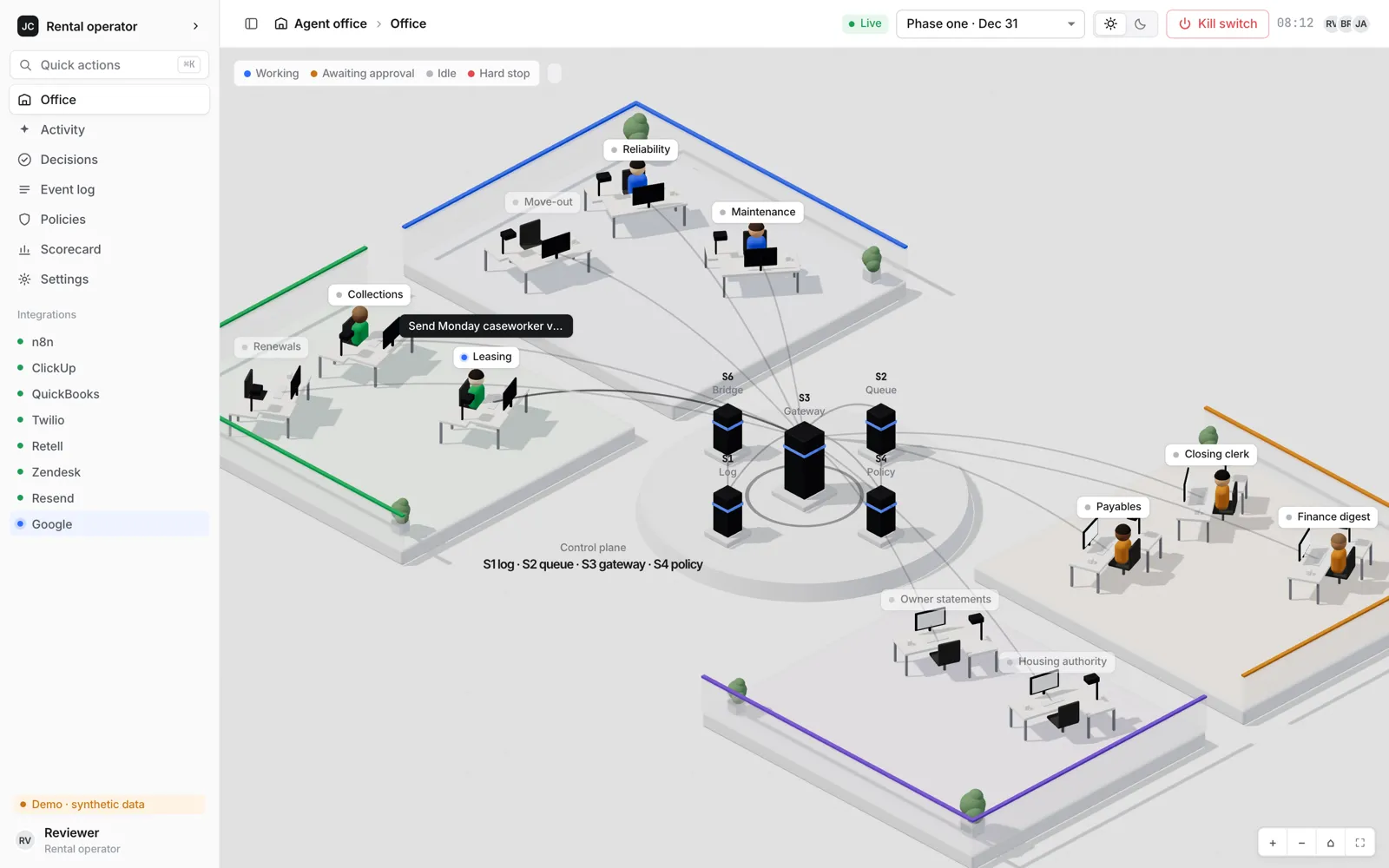
Ruyi Flux runs a US residential rental portfolio of around 120 properties. SBD shipped six fixed-scope automations covering mortgage reconciliation, owner tax summaries, utilities, maintenance scheduling, move-in and move-out capture and welcome letters, and is now building an agent fleet with a control plane and human approval.
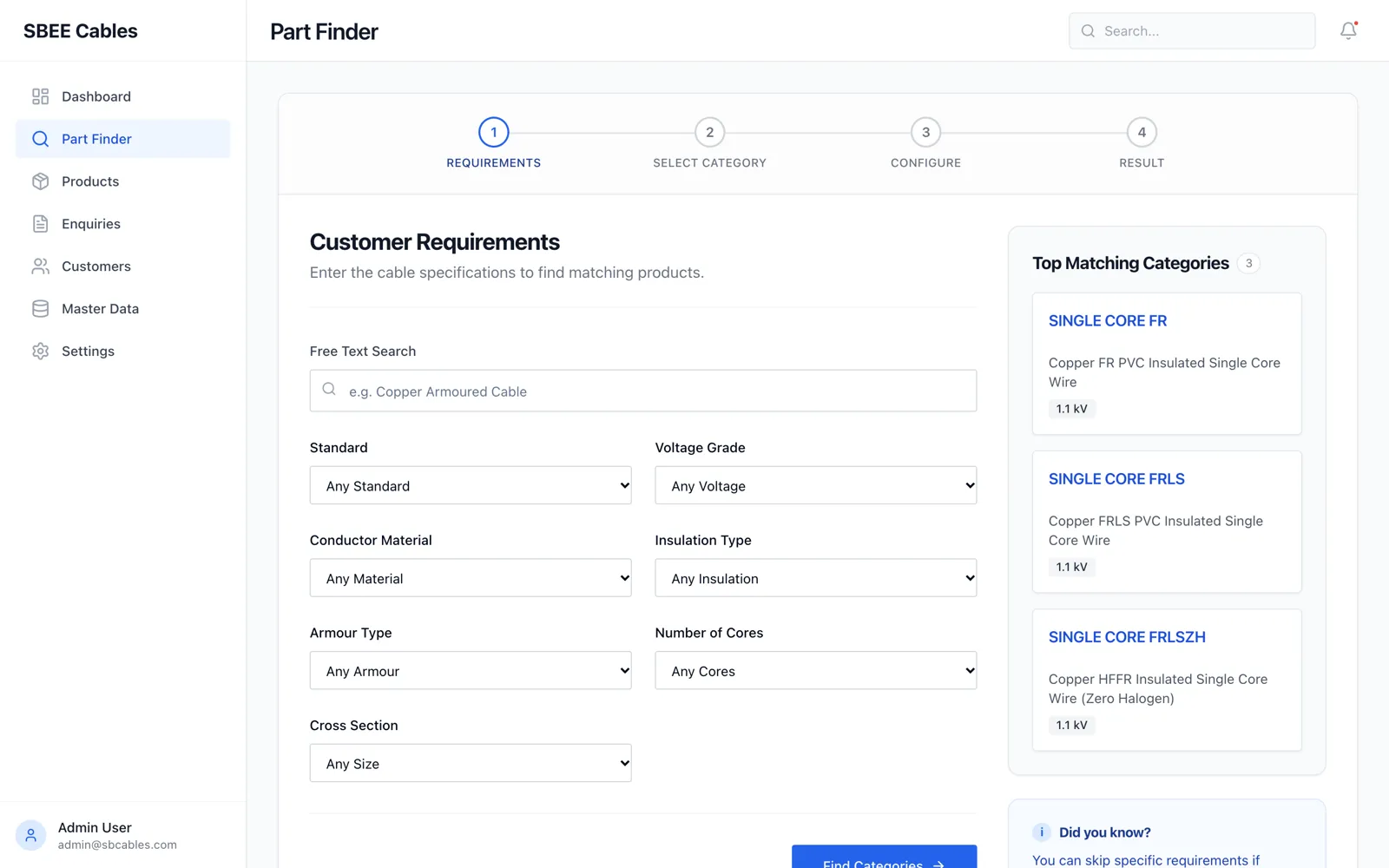
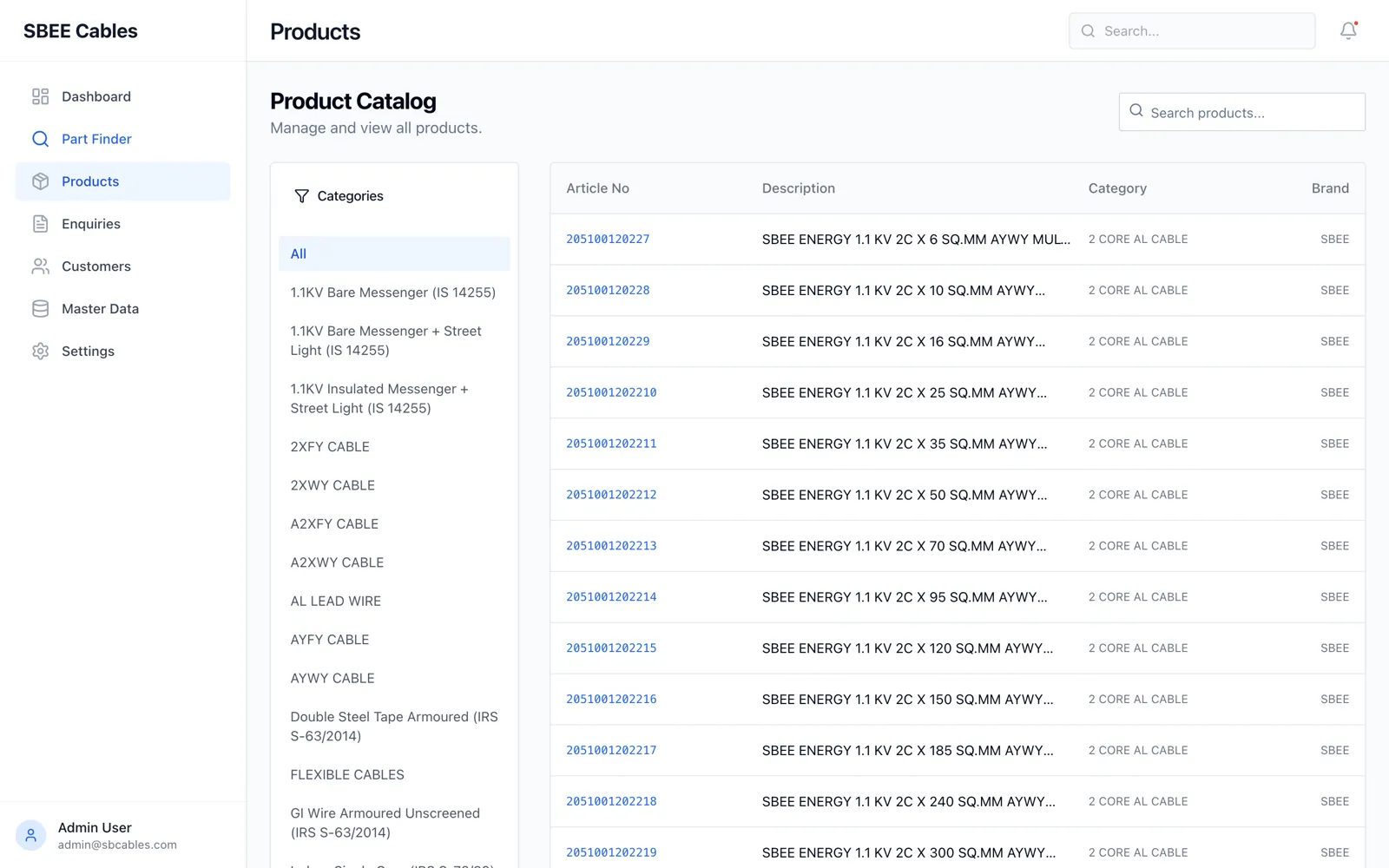
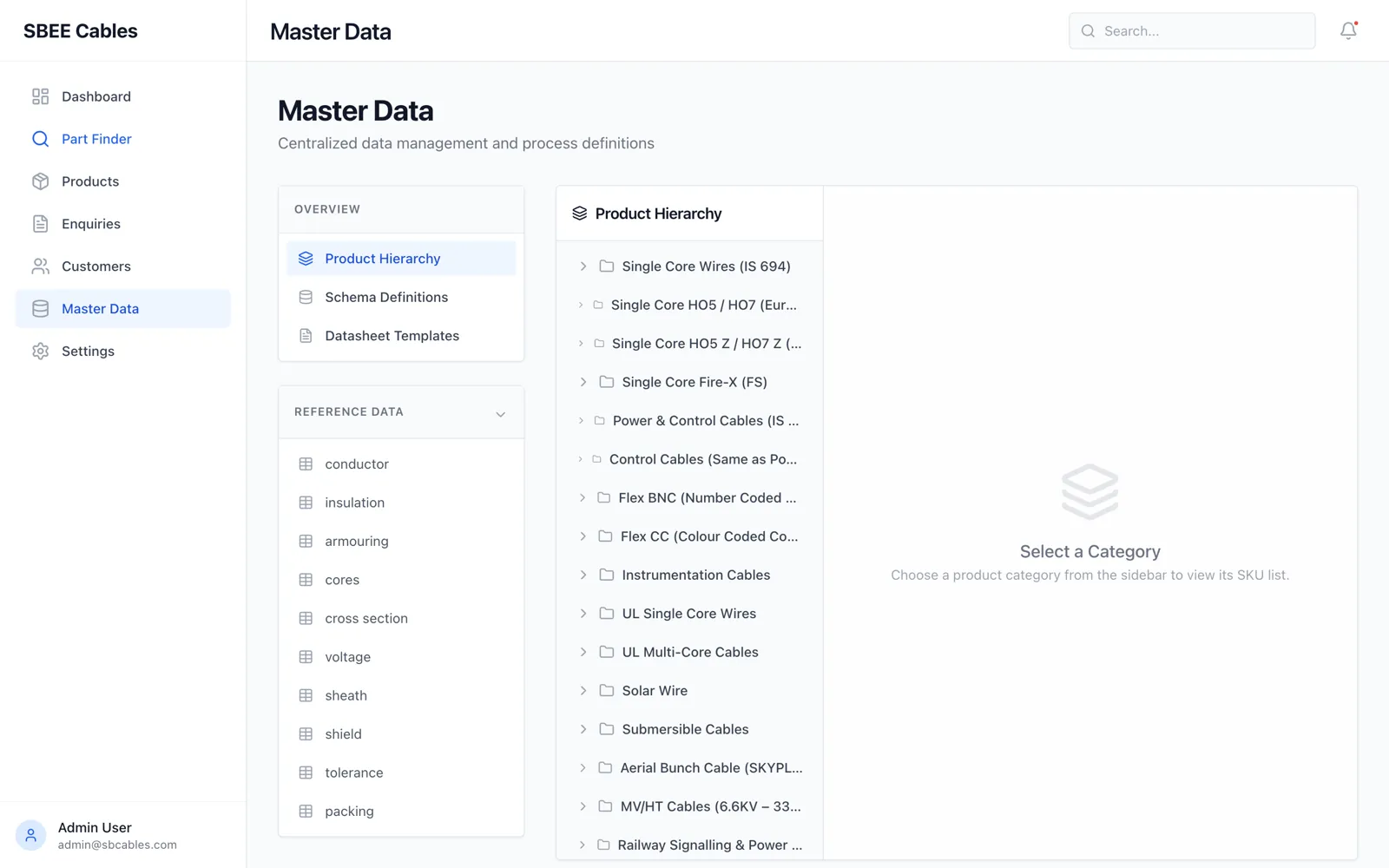
SBEE Cables encodes every product attribute into positional article numbers across 39 categories, so finding the right part meant reading a 24-table catalogue. SBD decoded the scheme into a four-step part finder, a searchable product catalogue and master data, with an enquiry-to-documents flow following.
6,000+article numbers decodedEvery finished-goods article mapped to its attributes.
39product categoriesGrouped into about fifteen product families.
24lookup tables encodedThe catalogue's full numbering dictionary, now in software.
changes.diff−4+4
−Before: Article numbers decoded by hand from catalogue tables
−Before: Finding a part needed someone who knew the scheme
−Before: Some product families had no article numbers at all
−Before: Enquiries turned into documents manually
+After: Article numbers decoded automatically from 24 lookup tables
+After: A four-step part finder anyone on the team can use
+After: Missing article numbers generated from the same rules
+After: Master data and product hierarchy in one place
Walkthrough
SBEE Cables · Part finder and product catalogue
Workflows
Each row is a workflow in production: what triggers it, and what it does.
Part finderWhenA user enters requirementsThenMatching categories and article numbers returnedIdle
Article decodingWhenAn article number is enteredThenEvery attribute decoded from the lookup tablesIdle
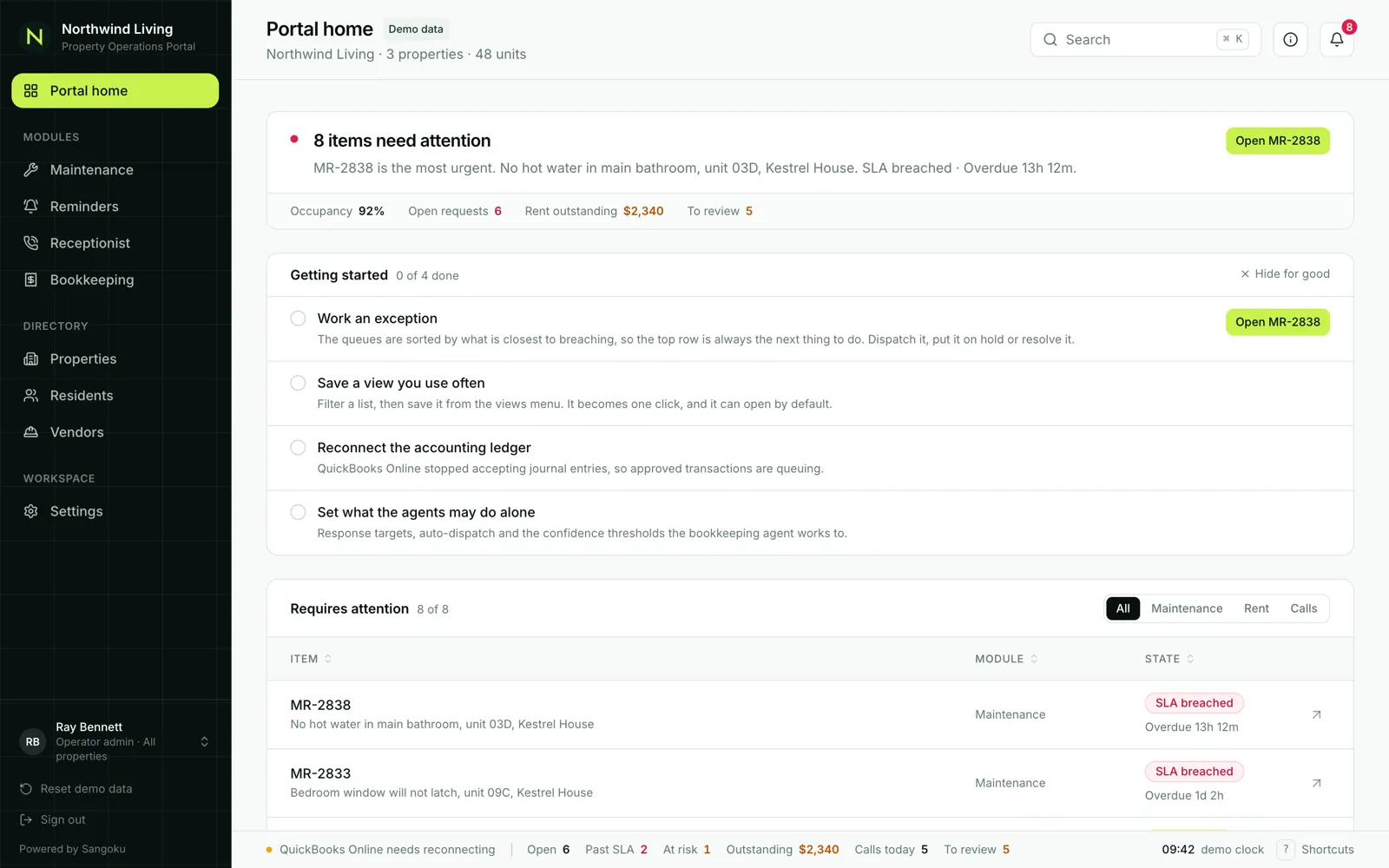
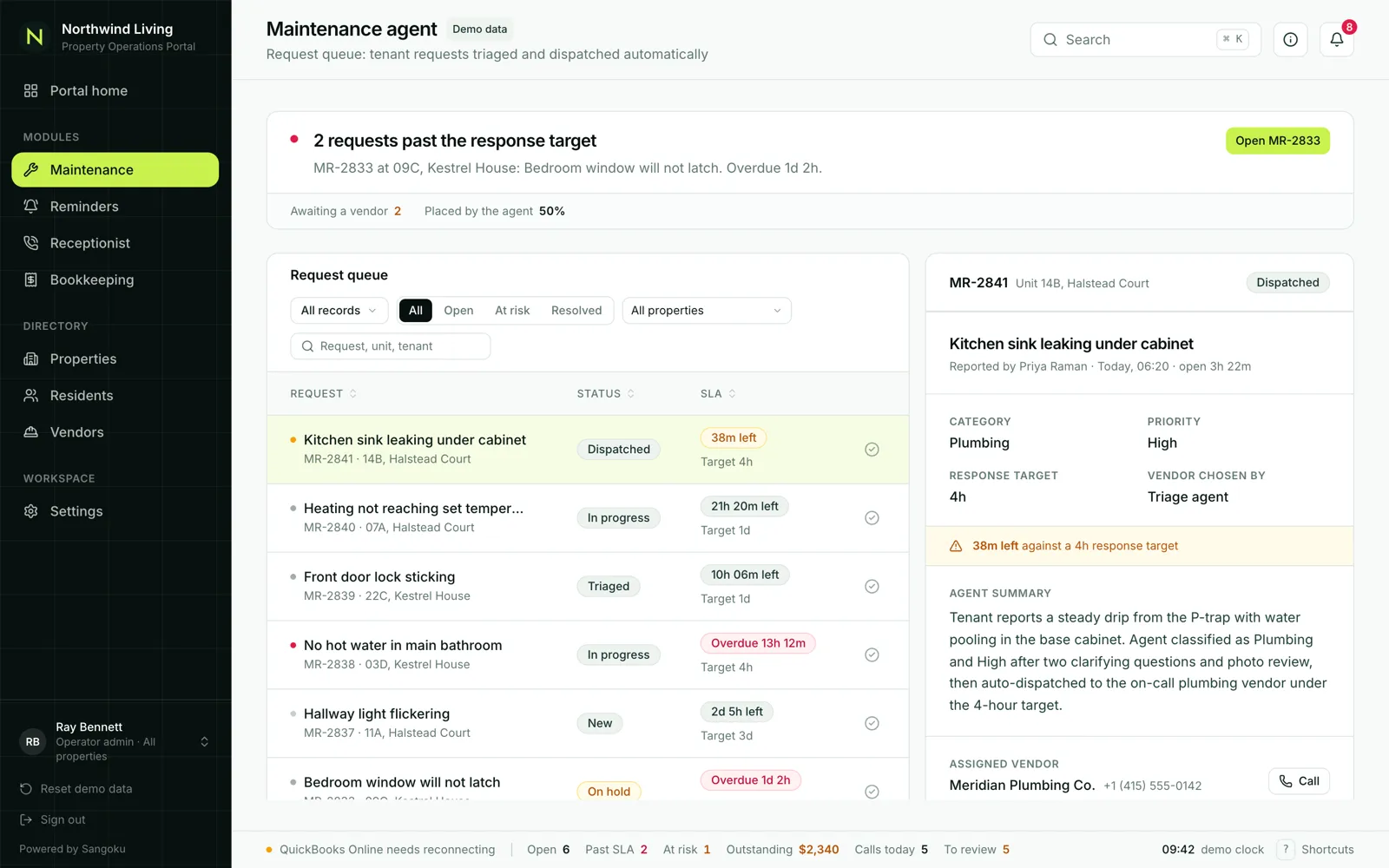
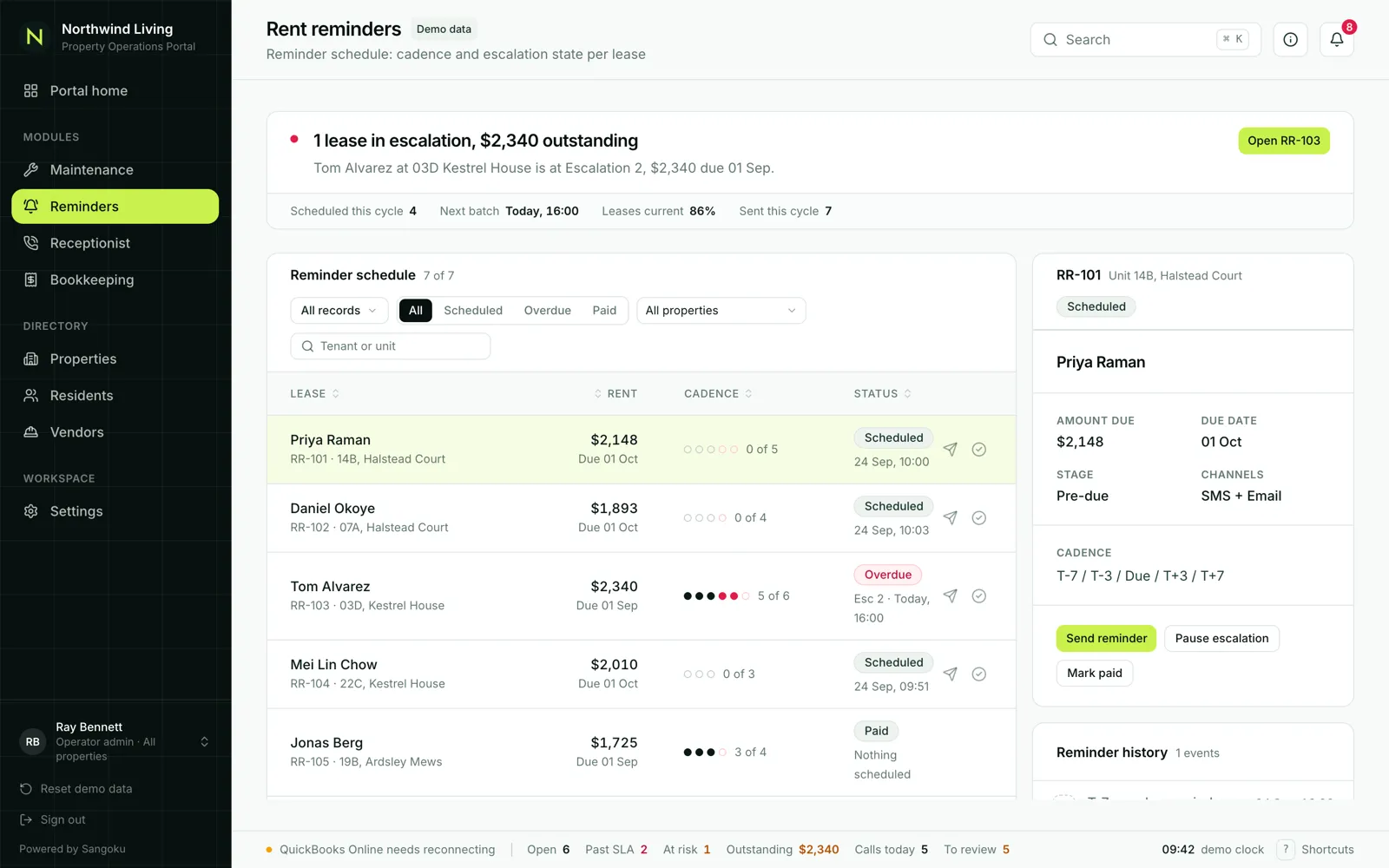
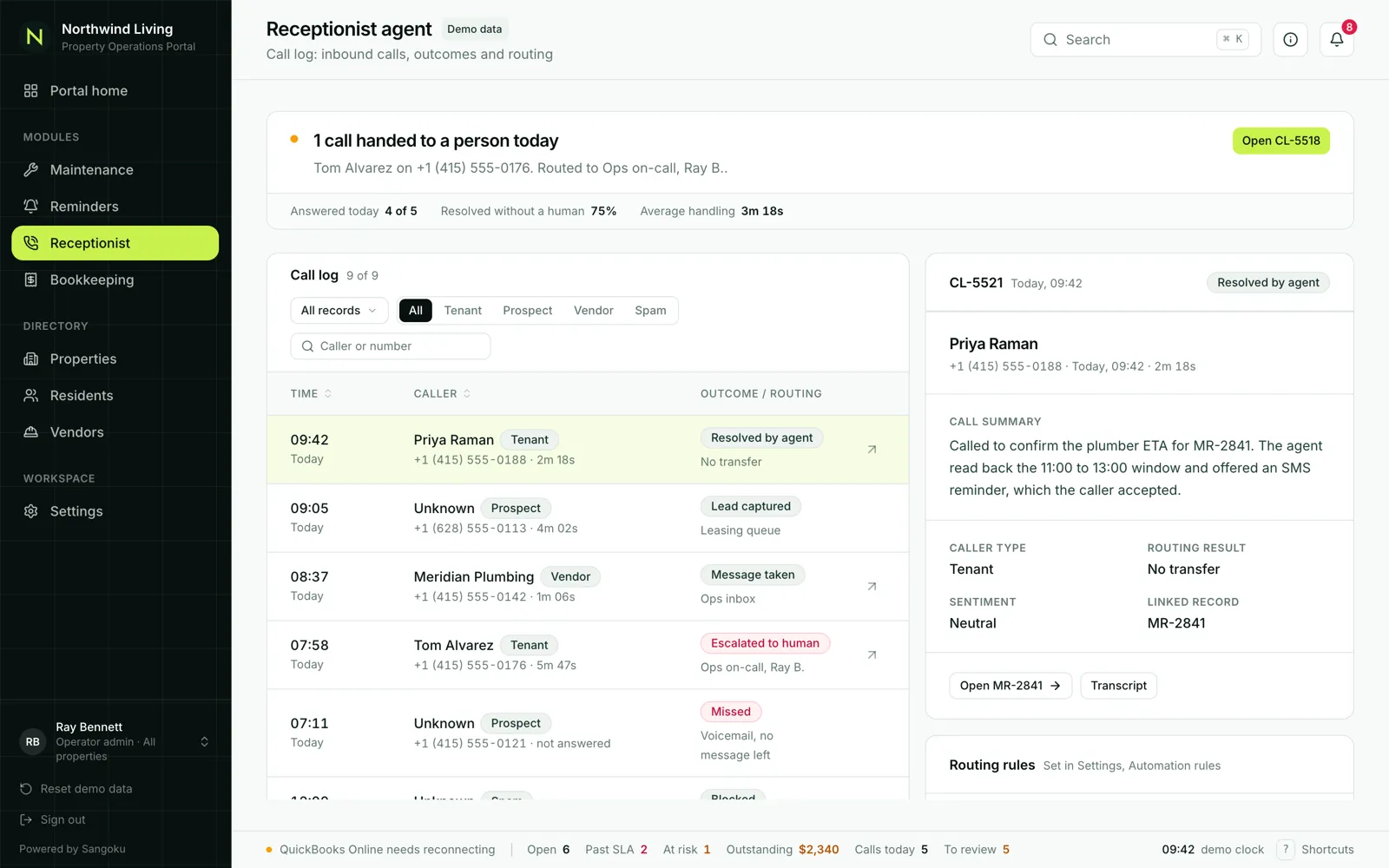
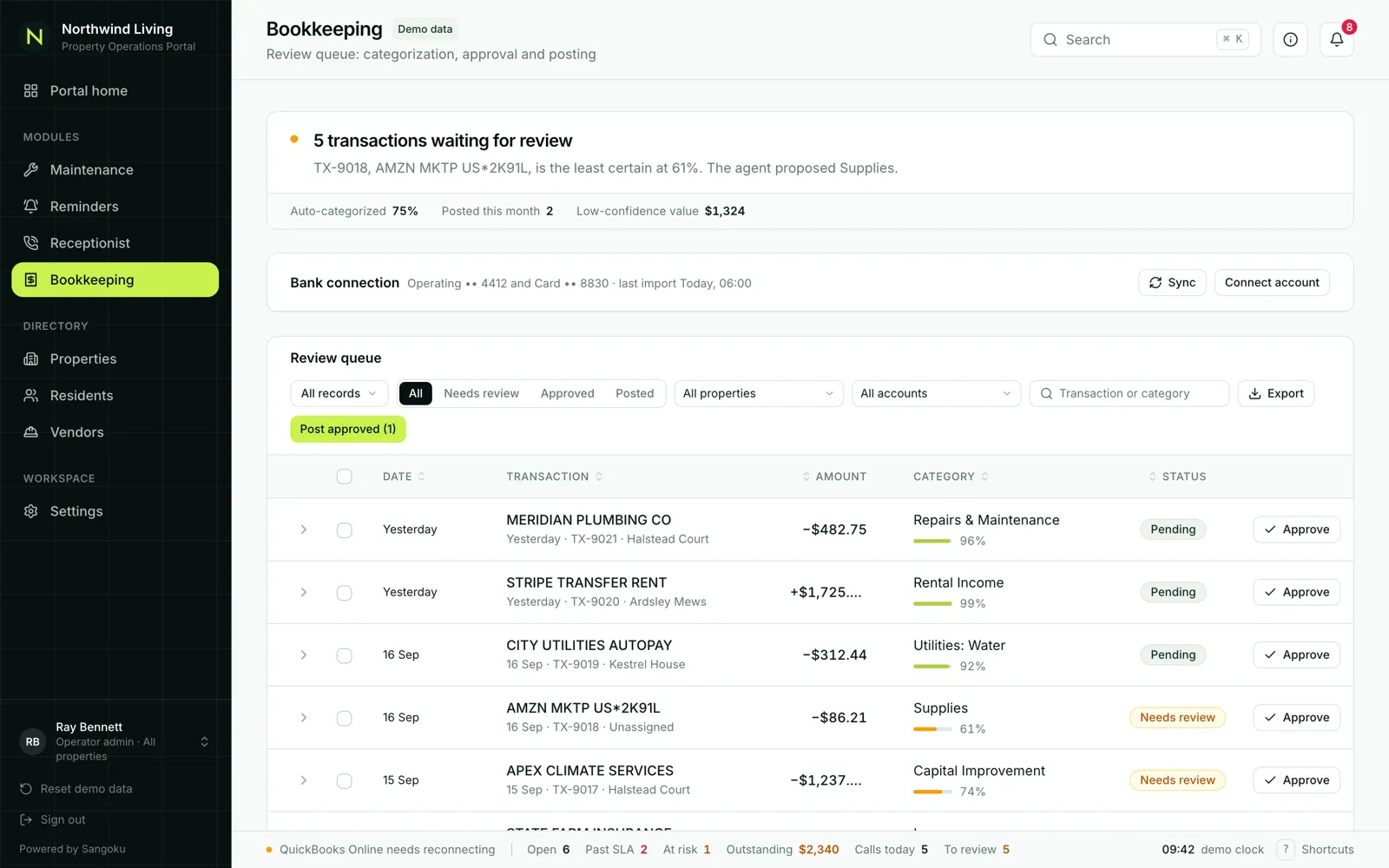
A clickable prototype of a white-label property management app: one portal with four modules, a resident surface, property and vendor directories, and integration points shown in the interface. Built against the client's written requirements, with an architecture proposal alongside.
4AI modules, one portal
1queue of what needs a person
White-labelfor the client’s customers
Walkthrough
A property management software company · White-label property management portal
Clickable prototype with demo data.
Modules
Maintenance agentA request queue where an AI agent triages and dispatches tenant requests to vendors within SLA.
Rent remindersA reminder schedule with escalation, by lease and by property.
AI receptionistA call log of calls answered, routed or handed to a person, with summaries.
Bookkeeping categorisationBank transactions categorised with confidence, low-confidence items queued for review.
Resident surfaceEach resident sees their own lease, rent and requests.
DirectoriesProperties and units, residents, and vendors with SLA performance.
Stack
React
Vite
Every account in the client’s name. Tools with a page link to how we integrate them.
LiveRevotecDistribution
Enquiry and quotation platform on SAP
Emailed RFQs read by AI and matched to SAP parts for an industrial distributor.
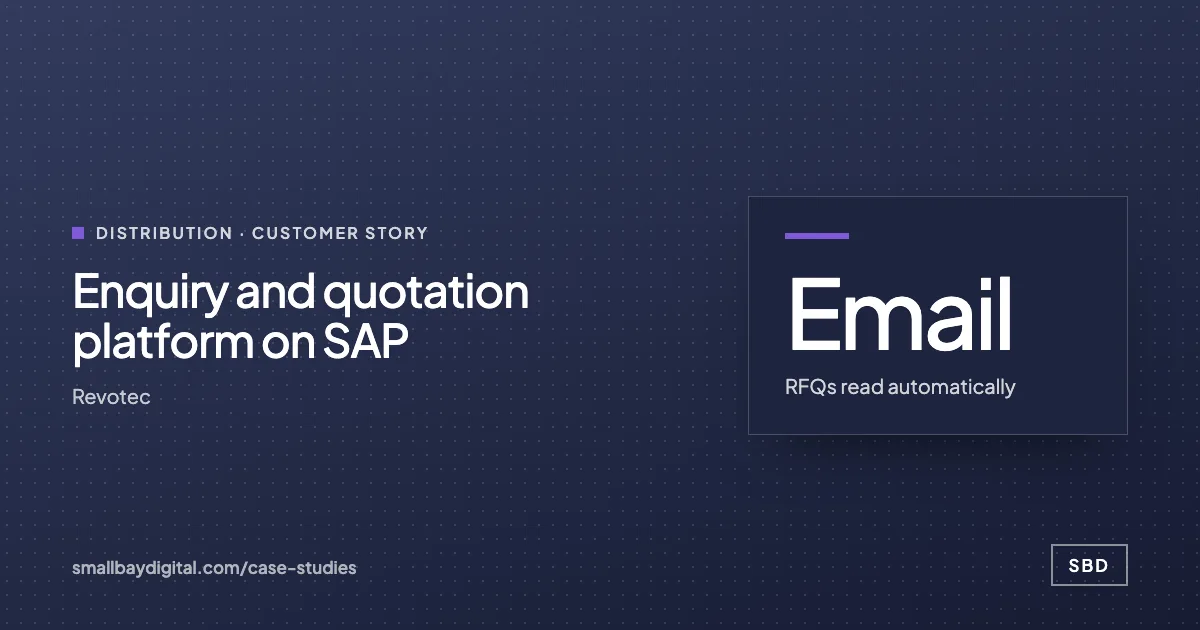
Revotec receives requests for quotation by email in every format. SBD built an enquiry platform that reads each RFQ with AI, matches requested parts against the SAP item master, and tracks each enquiry through to order. A review queue for uncertain matches is the next phase.
EmailRFQs read automaticallyEvery format, without re-typing.
SAPitem master matchingRequested parts matched to the system of record.
Ordertracked from enquiryEvery enquiry followed through to order.
changes.diff−4+4
−Before: RFQs read and re-typed from email
−Before: Part numbers looked up by hand against the item master
−Before: Enquiry status tracked in inboxes
−Before: Quotations built manually
+After: RFQs read automatically from email
+After: Parts matched to the SAP item master
+After: Every enquiry tracked through to order
+After: Quotations built from matched parts
Workflows
Each row is a workflow in production: what triggers it, and what it does.
RFQ ingestWhenAn RFQ email arrivesThenRead by AI, items extractedIdle
Part matchingWhenItems are extractedThenMatched to the SAP item masterIdle
Enquiry trackingWhenAn enquiry changes stageThenStatus updated through to orderIdle
OneMagnate Consulting ran quotations, brands, architect firms and contracts in a SmartSuite workspace that had outgrown itself. SBD built a purpose-made operations tool on Next.js and Supabase with nine modules, a pipeline dashboard, and roles enforced on the server, with every login tied to a real person.
9modules in one toolDashboard, quotations, brands, firms, architects, contracts, projects, team, settings.
Serverenforced rolesMembers edit only the quotations assigned to them.
0shared or demo loginsEvery account is an invited, named person.
changes.diff−4+4
−Before: Operations in a general-purpose workspace
−Before: Permissions hidden in the interface, not enforced
−Before: Shared and demo logins
−Before: Pipeline numbers assembled by hand
+After: A tool built around quotations, brands, firms and projects
+After: Roles enforced on the server for every change
+After: Every login a real, invited person
+After: A live dashboard of pipeline, win rate and meeting SLA
Workflows
Each row is a workflow in production: what triggers it, and what it does.
Quotation pipelineWhenA quotation is created or revisedThenLinked to brand, firm, architect and project, with a revisions timelineIdle
Access controlWhenAny change is savedThenRole checked on the server before it is writtenIdle
DashboardWhenAny record changesThenPipeline value, win rate and meeting SLA refreshedIdle
A copper wire manufacturer tracked production on paper, spreadsheets and phone calls. SBD built a multi-user production dashboard with ten modules, role-based access, automated reports and direct printing. Order processing time fell by 45% and data accuracy rose by 60%, with every production stage visible live.
45%faster order processingTime from order to dispatch-ready, before and after the dashboard.
60%better data accuracyErrors between floor records and the system, before and after.
10+modules in daily useProduction, stages, orders, cashback, dispatch and more.
changes.diff−4+4
−Before: Production data spread across registers, sheets and people
−Before: Dispatch delayed by manual tracking
−Before: Status depended on asking the right person
−Before: Reports compiled and printed by hand
+After: Every production stage in one live dashboard
+After: Dispatch tracked as it happens
+After: Each role sees its own stage, securely
+After: Reports generated and sent straight to the printer
Workflows
Each row is a workflow in production: what triggers it, and what it does.
Production stage entryWhenA batch moves between stagesThenRecorded once against the order, visible to every role that needs itIdle
Order movement trackingWhenAn order changes stageThenDashboard updated, dispatch sees what is readyIdle
Report and printWhenA report is due or requestedThenGenerated from live data and printed directly on the floorIdle
A fast-growing watch reseller updated every product by hand on Shopify, eBay and Chrono24. SBD built one product record on SmartSuite that syncs to every channel with per-channel mapping. Update time fell by 80%, launches got twice as fast, and inventory mismatches dropped to zero over the following 90 days.
80%less time on product updatesHours spent updating listings across platforms, before and after.
0inventory mismatchesReported mismatches in the 90 days after go-live.
2xfaster launchesUnder 20 minutes to launch across platforms, against two to three hours before.
changes.diff−4+4
−Before: Each product updated separately on every channel
−Before: No single source of truth for stock or price
−Before: Sold items still live on other channels
−Before: Two to three hours to launch a product everywhere
+After: One record, pushed to every channel
+After: SmartSuite holds the truth for product and stock
+After: A sale anywhere updates stock everywhere
+After: Under 20 minutes to launch across all channels
Workflows
Each row is a workflow in production: what triggers it, and what it does.
Product create and updateWhenA product record changesThenTranslated and pushed to every channelIdle
Sales syncWhenAn order is placed on ShopifyThenStock updated in SmartSuite and on every other channelIdle
Per-channel mappingWhenA listing is pushedThenTitles, categories, images and metadata fitted to the platform's rulesIdle
A building materials supplier ran enquiries, orders and dispatch from Excel, with transporters and warehouse staff updated by phone. SBD built one Retool system from enquiry to dispatch, with invoices raised in Zoho Books and WhatsApp updates to every stakeholder. Manual time fell by 40%.
40%less manual timeHours spent on order coordination and data entry, before and after.
5+stakeholder types kept informedTransporters, warehouse, accounts, customers and management.
AutoinvoicingInvoices raised from the order, removing manual accounting errors.
changes.diff−4+4
−Before: Orders and enquiries tracked in Excel
−Before: Transporters and warehouse updated by phone
−Before: Invoices typed after the fact
−Before: No live view of where an order stood
+After: Enquiry to dispatch in one system
+After: WhatsApp updates sent on every status change
+After: Invoices raised automatically in Zoho Books
+After: Each stakeholder sees their part, live
Workflows
Each row is a workflow in production: what triggers it, and what it does.
Enquiry to orderWhenAn enquiry is confirmedThenConverted to an order with nothing re-typedIdle
Dispatch notificationsWhenAn order changes statusThenWhatsApp message to the transporter, warehouse or customerIdle
Invoice from the orderWhenAn order is confirmedThenInvoice generated in Zoho BooksIdle
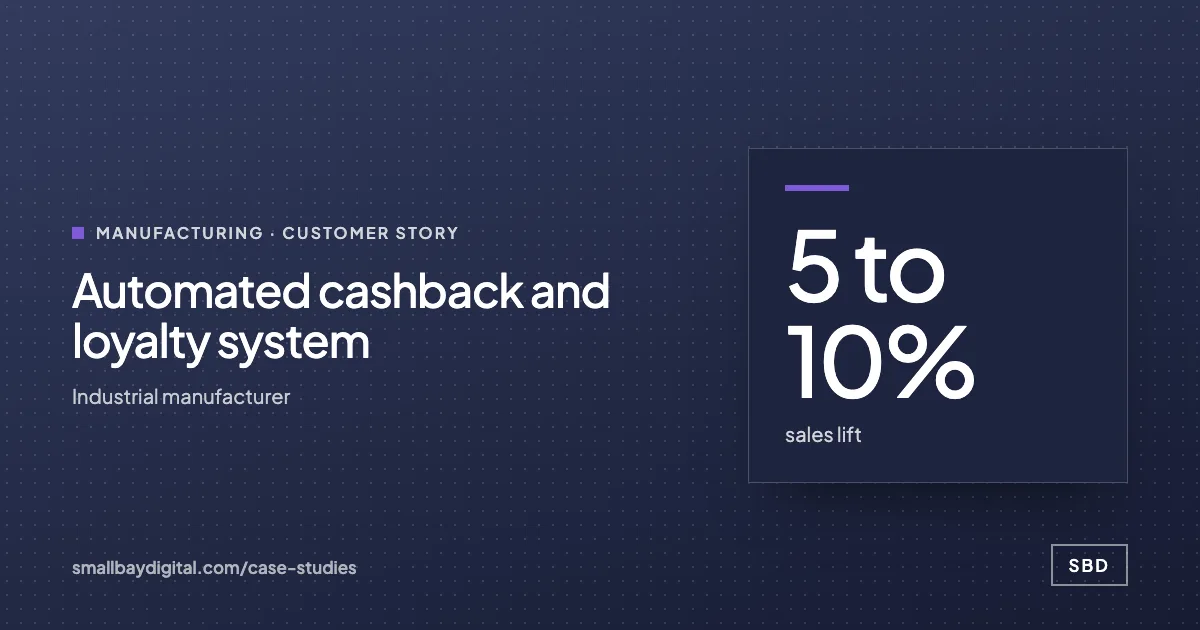
An industrial manufacturer sold only through distributors and had no relationship with the people who used its products. SBD built a QR cashback system in the packaging, multilingual mobile forms, automated payouts and a customer database. Sales rose by 5 to 10% and end-user engagement tripled.
5 to 10%sales liftSales on participating products after launch.
3xend-user engagementDirect interactions with end users, against near zero before.
AutopayoutsCashback paid by rule, with no manual processing.
changes.diff−4+4
−Before: No contact with end users, only distributors
−Before: No customer data to segment or retain
−Before: End users followed distributor preference
−Before: Any reward would have meant manual payouts
+After: A QR code in every pack opens a direct relationship
+After: A customer database the brand owns
+After: Rewards that bring buyers back to the brand
+After: Payouts sent automatically
Workflows
Each row is a workflow in production: what triggers it, and what it does.
Scan to claimWhenA customer scans the QR in a packThenPurchase and customer recorded, eligibility checkedIdle
Automated payoutWhenA claim is approvedThenCashback paid without manual processingIdle
Customer databaseWhenEvery claimThenCustomer profile built for segmentation and retentionIdle
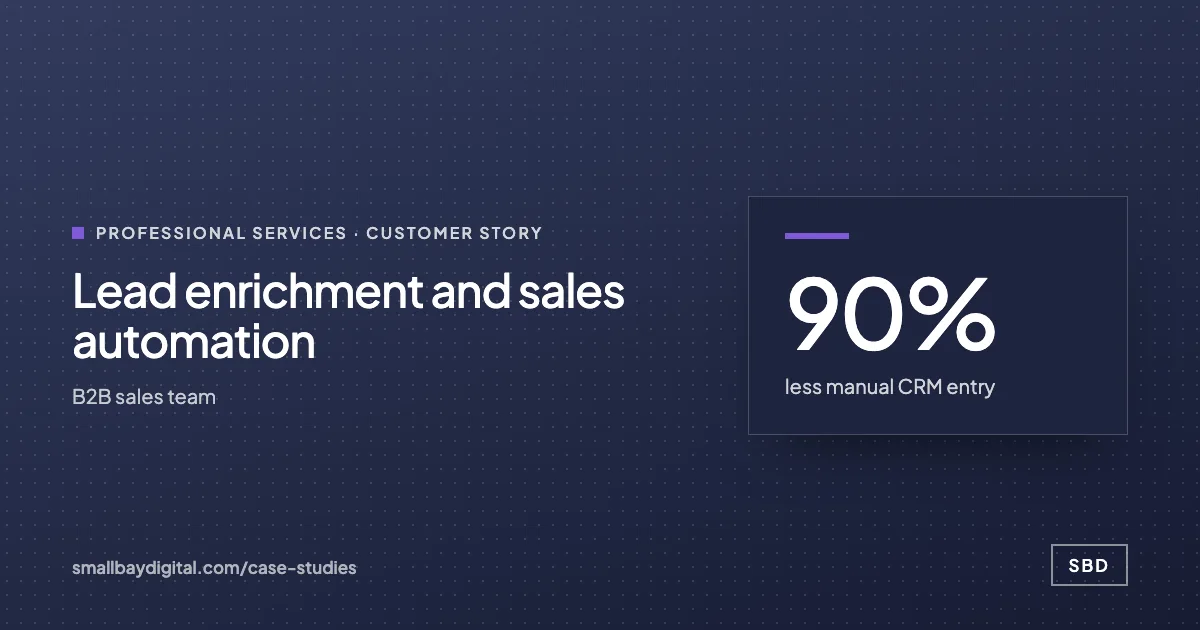
A B2B sales team handled leads from forms, email and social messages by hand. SBD built one capture layer with enrichment, AI qualification against the ideal customer profile, CRM sync, follow-up and booking. Manual CRM entry fell by 90%, first replies arrived in under three minutes, and conversion rose 3.4x.
90%less manual CRM entryFields entered by hand, before and after.
<3 minaverage first replyTime from lead arriving to first personalised reply.
3.4xconversion rateLead to qualified meeting, with 40% more qualified calls booked.
changes.diff−4+4
−Before: Leads from forms, email and social handled by hand
−Before: Replies sent when someone noticed
−Before: No consistent qualification
−Before: CRM accurate only when someone remembered
+After: Every source captured in one place
+After: First reply in under three minutes
+After: Every lead scored against the profile
+After: CRM written by the system, with call notes synced back
Workflows
Each row is a workflow in production: what triggers it, and what it does.
Lead captureWhenA lead arrives from any sourceThenCaptured, deduplicated and enrichedIdle
AI qualificationWhenA lead is enrichedThenScored against the profile, objections predictedIdle
First reply and bookingWhenA lead qualifiesThenPersonal email sent, meeting link offered, CRM updatedIdle
Call summary syncWhenA call endsThenSummary written to the CRM and posted to SlackIdle
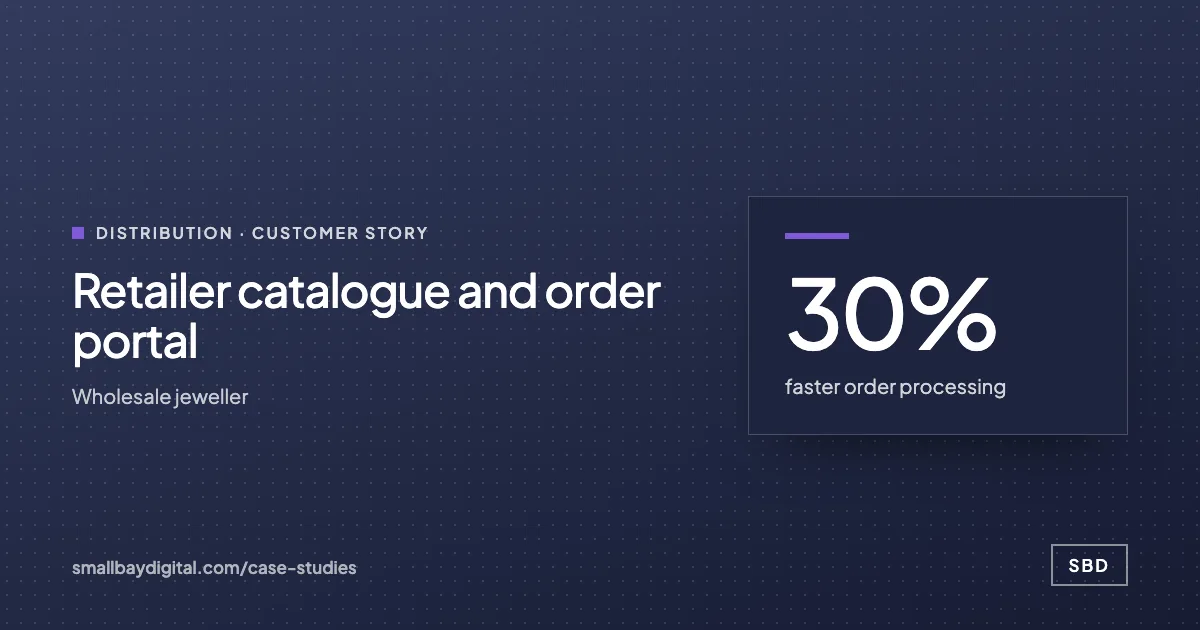
A wholesale jeweller took orders and updated retailers by hand, with a catalogue that changed constantly. SBD built a gated portal for approved retailers with a live catalogue, order tracking and automatic WhatsApp and email updates. Orders processed 30% faster and inbound enquiries halved.
30%faster order processingTime from order to confirmation, before and after.
50%fewer client enquiriesInbound status questions, because updates now arrive unasked.
Approvedaccess onlyTrade catalogue visible only to verified retailers.
changes.diff−4+4
−Before: Orders taken and confirmed by hand
−Before: Retailers updated manually, often late
−Before: A catalogue that went out of date quickly
−Before: No way to restrict who saw trade prices
+After: Retailers order from a live catalogue
+After: Status updates sent automatically
+After: Inventory and catalogue kept current
+After: Only approved retailers get access
Workflows
Each row is a workflow in production: what triggers it, and what it does.
Retailer approvalWhenA retailer signs upThenAccess granted only after approvalIdle
Order to statusWhenAn order is placed or moves stageThenThe retailer is messaged on WhatsApp and emailIdle
Live catalogueWhenStock changesThenThe catalogue reflects itIdle
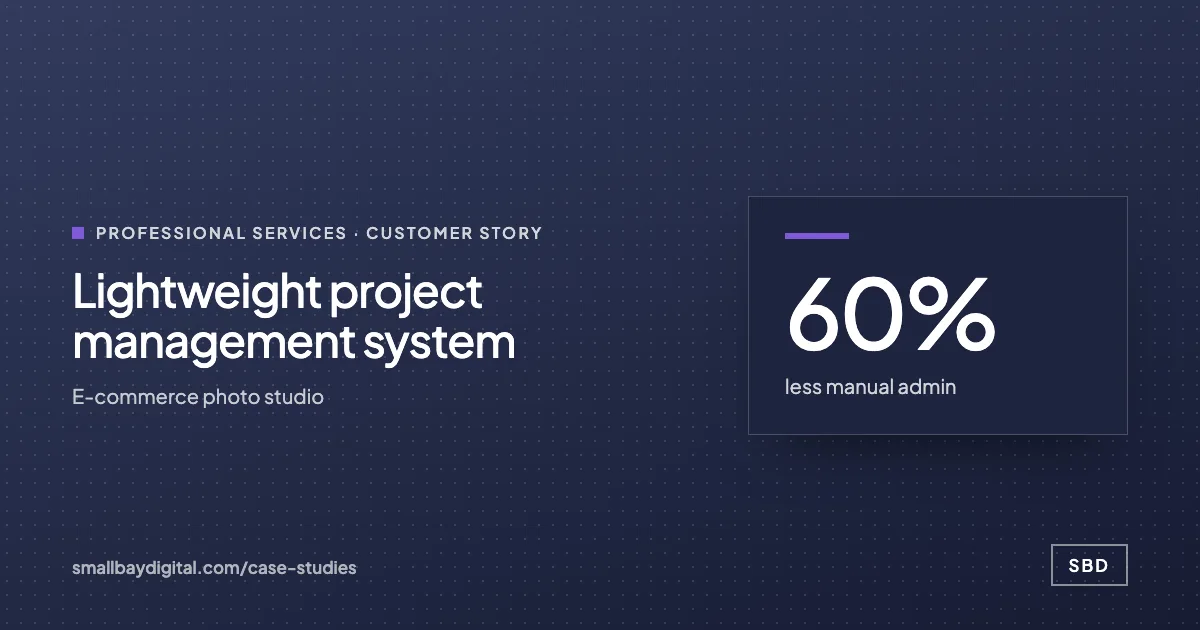
A five-person photography and video studio ran enquiries, projects and tasks from memory and could not justify enterprise project software. SBD built the system on Google Sheets with a lead form, per-person task sheets, a live admin dashboard and automation kept cheap by design. Admin time fell by 60%.
60%less manual adminHours on tracking and updates, before and after.
5people on one systemEvery team member and the owner, from one dashboard.
Near zerosoftware costBuilt on tools the studio already paid for.
changes.diff−4+4
−Before: Enquiries and tasks tracked from memory
−Before: No view of project status
−Before: Clients updated when someone remembered
−Before: Enterprise tools out of budget
+After: Every enquiry captured into one system
+After: Status updates itself from each person's sheet
+After: A central dashboard of projects and deliverables
+After: Running cost close to zero
Workflows
Each row is a workflow in production: what triggers it, and what it does.
Enquiry to projectWhenA lead form is submittedThenProject created with client detailsIdle
Task to dashboardWhenA team member updates a taskThenAdmin dashboard reflects it liveIdle
Client updatesWhenA deliverable changes statusThenThe client is informedIdle
Every account in the client’s name. Tools with a page link to how we integrate them.
Build log
01
Design to the budget
The constraint shaped the build: real capability on tools the team already had.
02
Capture
A lead form feeds project data straight into Sheets.
03
Track
Each team member gets a task sheet that syncs to the admin dashboard automatically.
04
Keep it cheap
Heavier processing moved to Apps Script and Cloudflare Workers to keep automation costs down.
In buildA garment manufacturerManufacturing
Garment operations control system
An operations control system for a garment manufacturer, delivered white-label through a technology firm. Phase one covers the order from receipt to payment: costing and approval, procurement, pre-production tracking, production, dispatch, goods receipts and payments.
An operations control system for a garment manufacturer, delivered white-label through a technology firm. Phase one covers the order from receipt to payment: costing and approval, procurement, pre-production tracking, production, dispatch, goods receipts and payments.
8stages from order to payment
Modules
OrdersEvery buyer order as one record from receipt to payment.
Costing and approvalCost sheets built and approved before production starts.
ProcurementFabric and trims ordered against the approved costing.
Pre-production trackersSamples, approvals and readiness tracked against dates.
Production and dispatchProduction progress and dispatch recorded on the order.
Goods receipts and paymentsReceipts matched to orders and payments tracked to close.
 SBD
SBD