SaaS · Customer story
An AI outbound sales platform, from contact list to booked meeting.
An outbound sales platform that ingests contacts, writes personalised emails from a knowledge base, runs follow-up sequences, handles replies and bounces, and hands interested prospects to a person.
- Client
- IntellReach AI
- Industry
- SaaS
- What we built
- AI outbound sales platform
- Built with
- Supabase, Claude, OpenAI, Instantly
The results
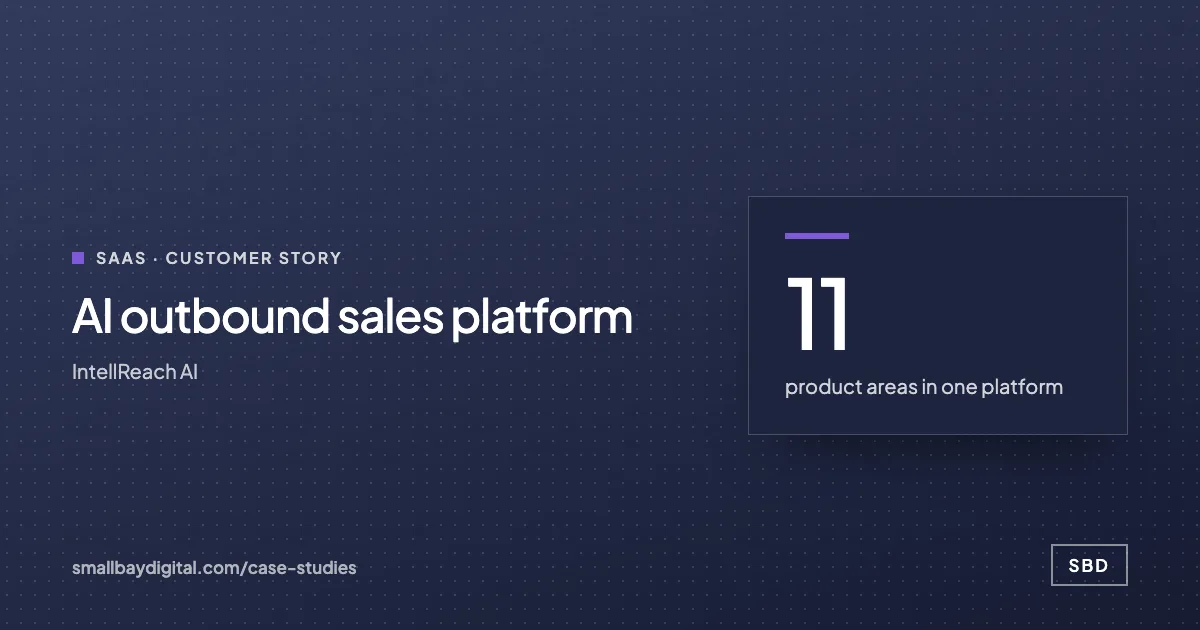
- 11product areas in one platform
Dashboard, campaigns, contacts, lists, personas, sequences, knowledge, inboxes, domains, meetings and privacy.
- Every rowisolated by tenant
Row-level security scopes every read to the caller's workspace.
- 3scheduled jobs run it all
A ten-minute tick, hourly alerts and a daily run. No separate queue service.
In short
IntellReach needed an outbound system that writes like a person and knows when to stop. SBD built a multi-tenant platform that ingests and verifies contacts, writes each email with Claude from a knowledge base, runs follow-up sequences, classifies replies, and routes interested prospects to a human.
The product
Real screens from what we built.
-
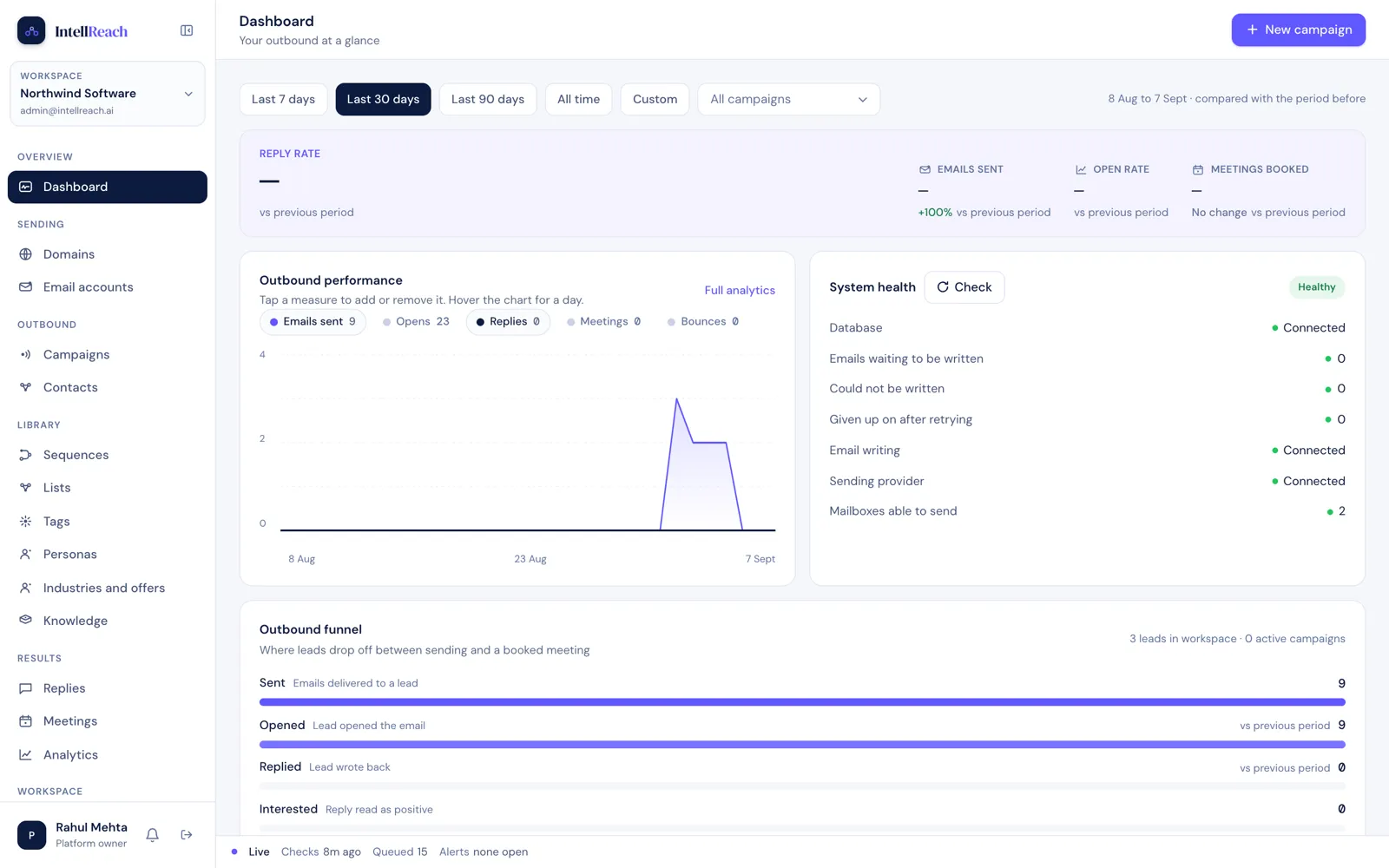
The dashboard: sends, replies and the outbound funnel. -
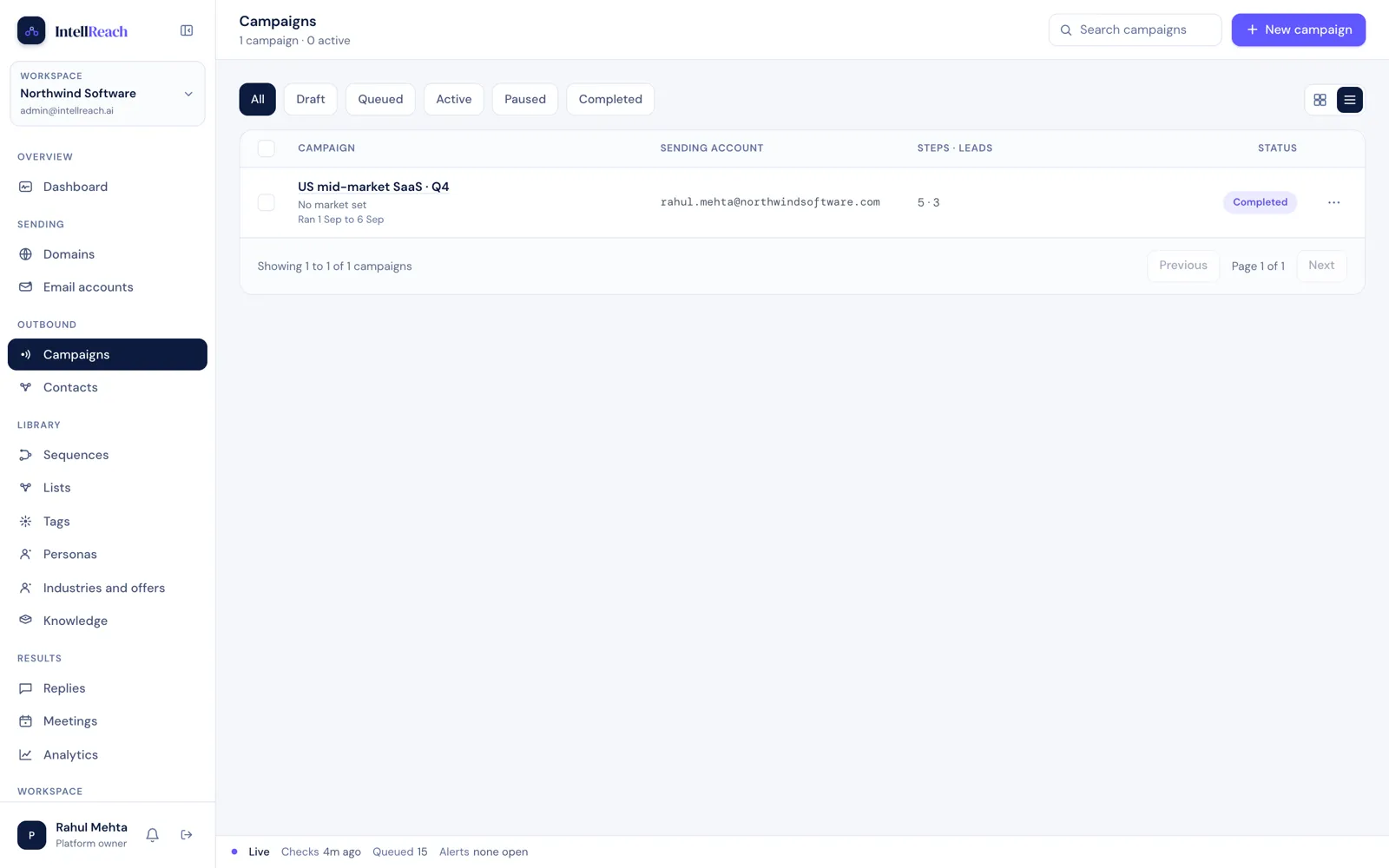
Campaigns, with status and sending health. -
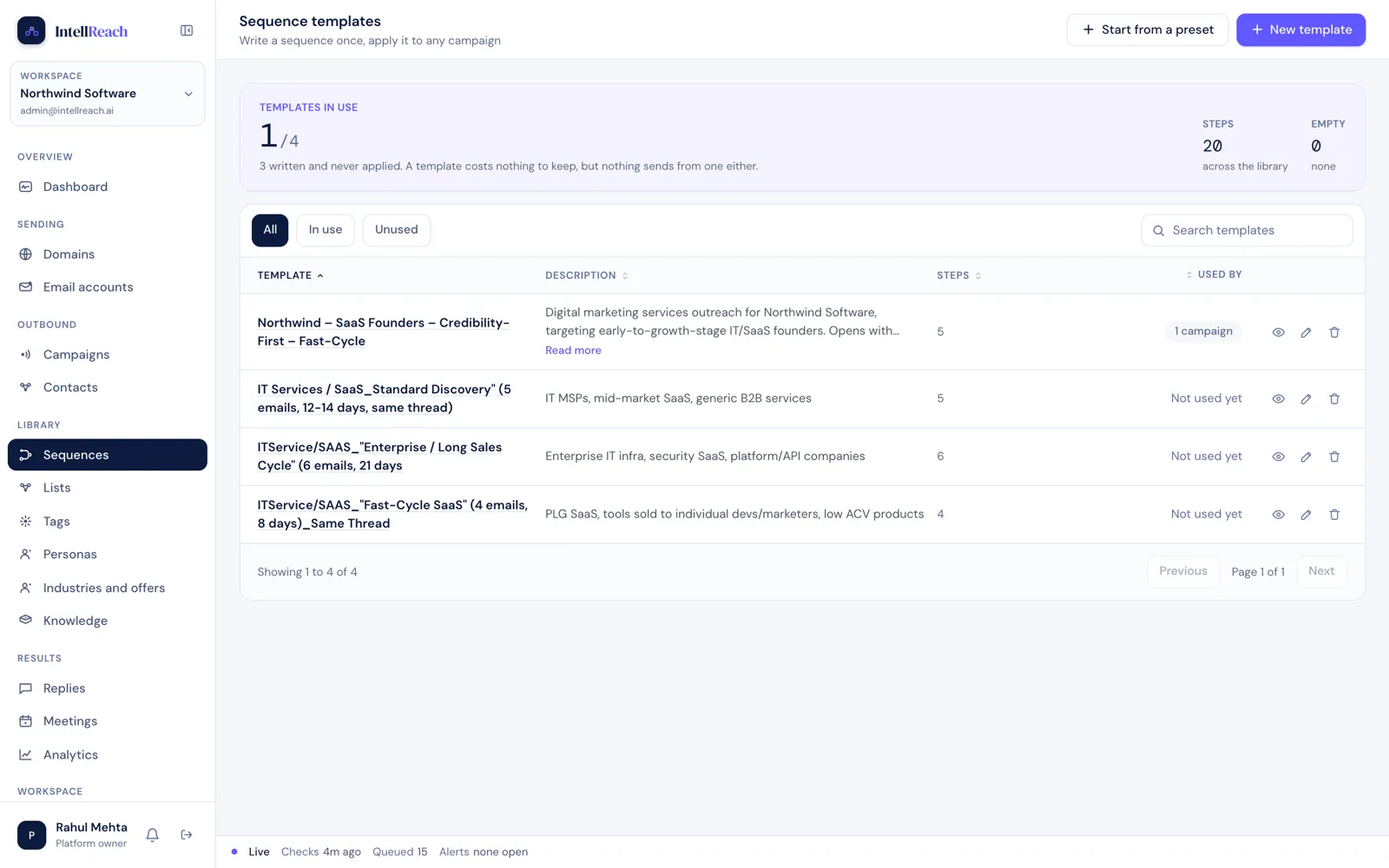
Sequence templates with steps and timing. -
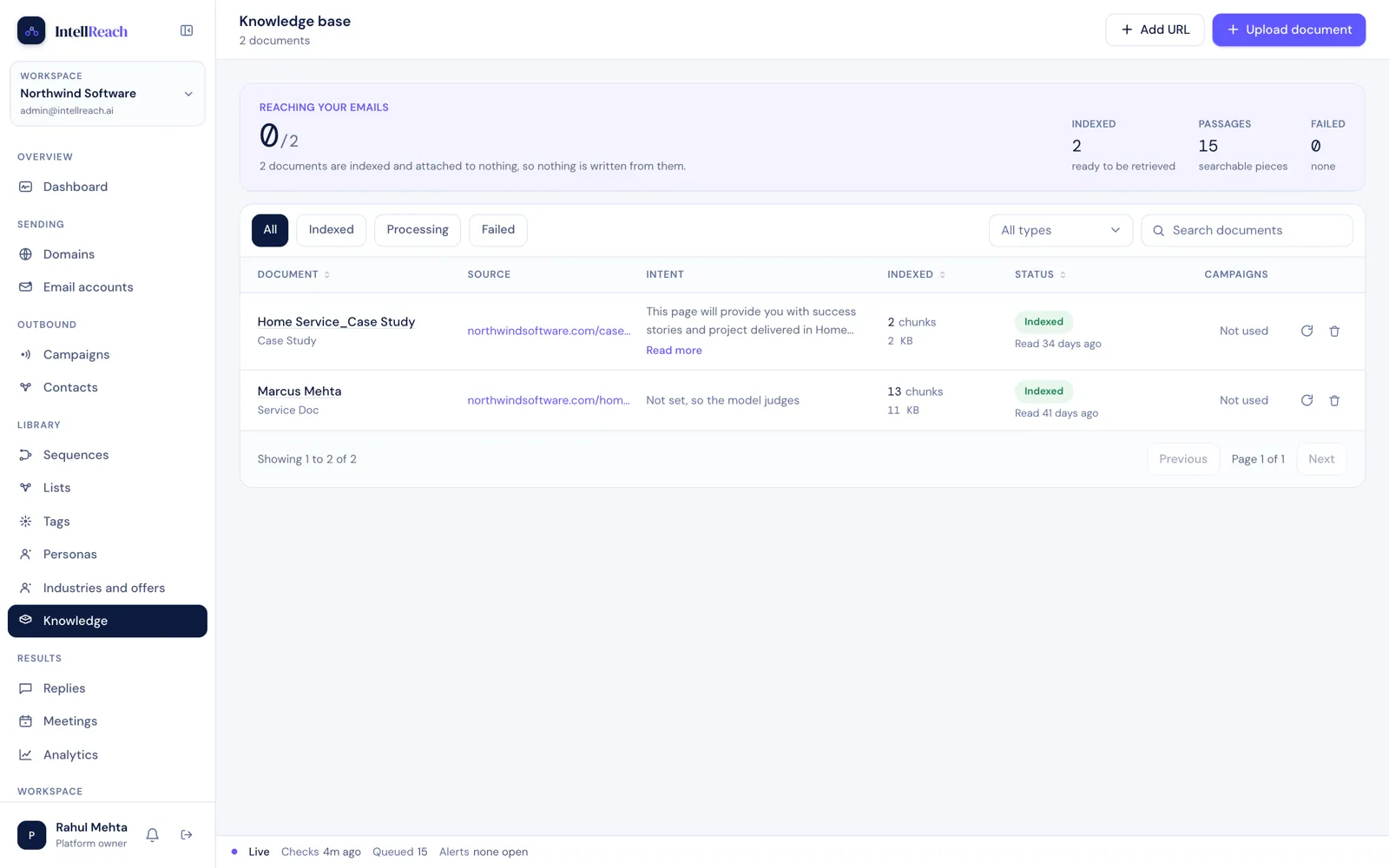
The knowledge base every email is written from. -
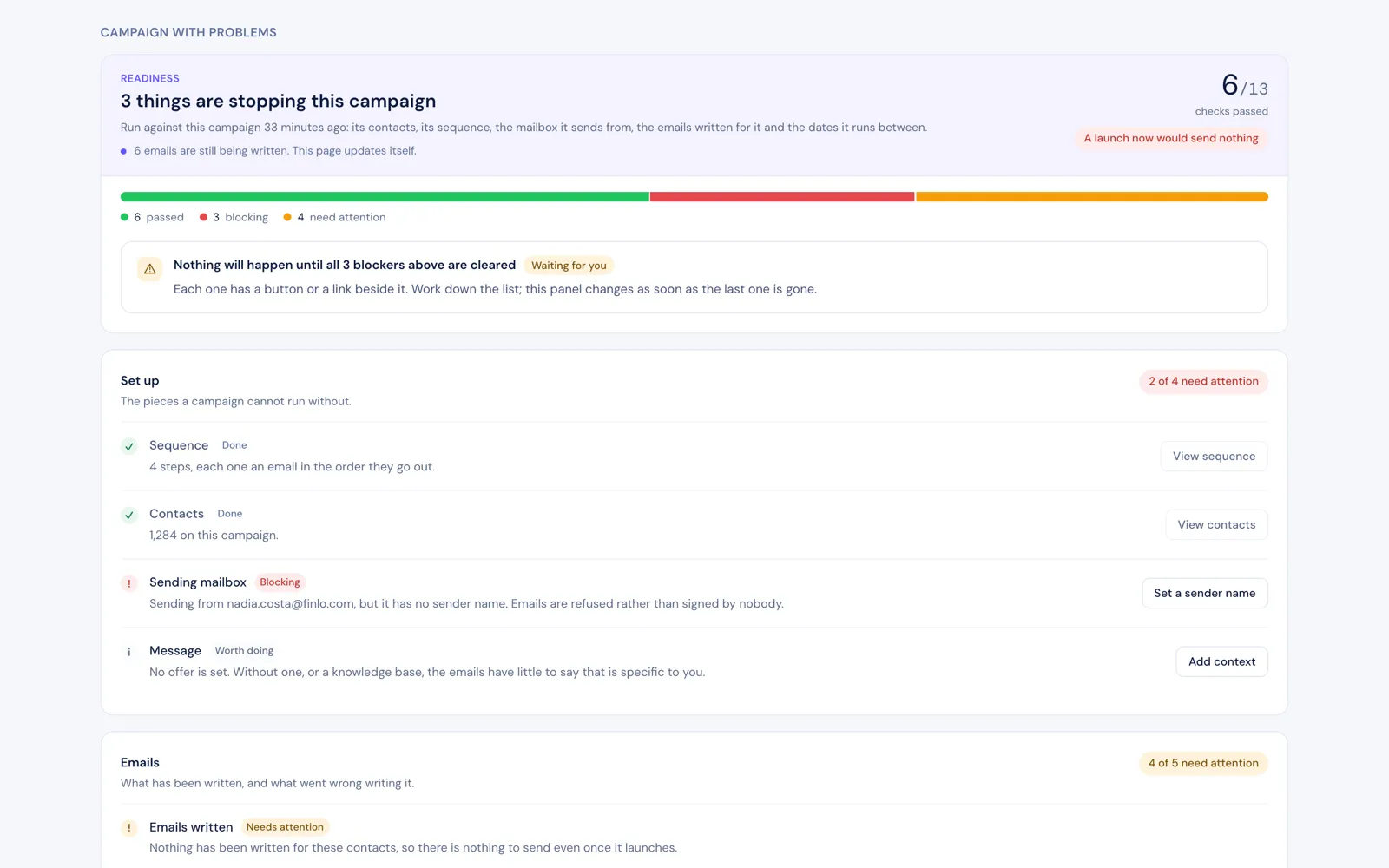
Readiness checks before a campaign can send. -
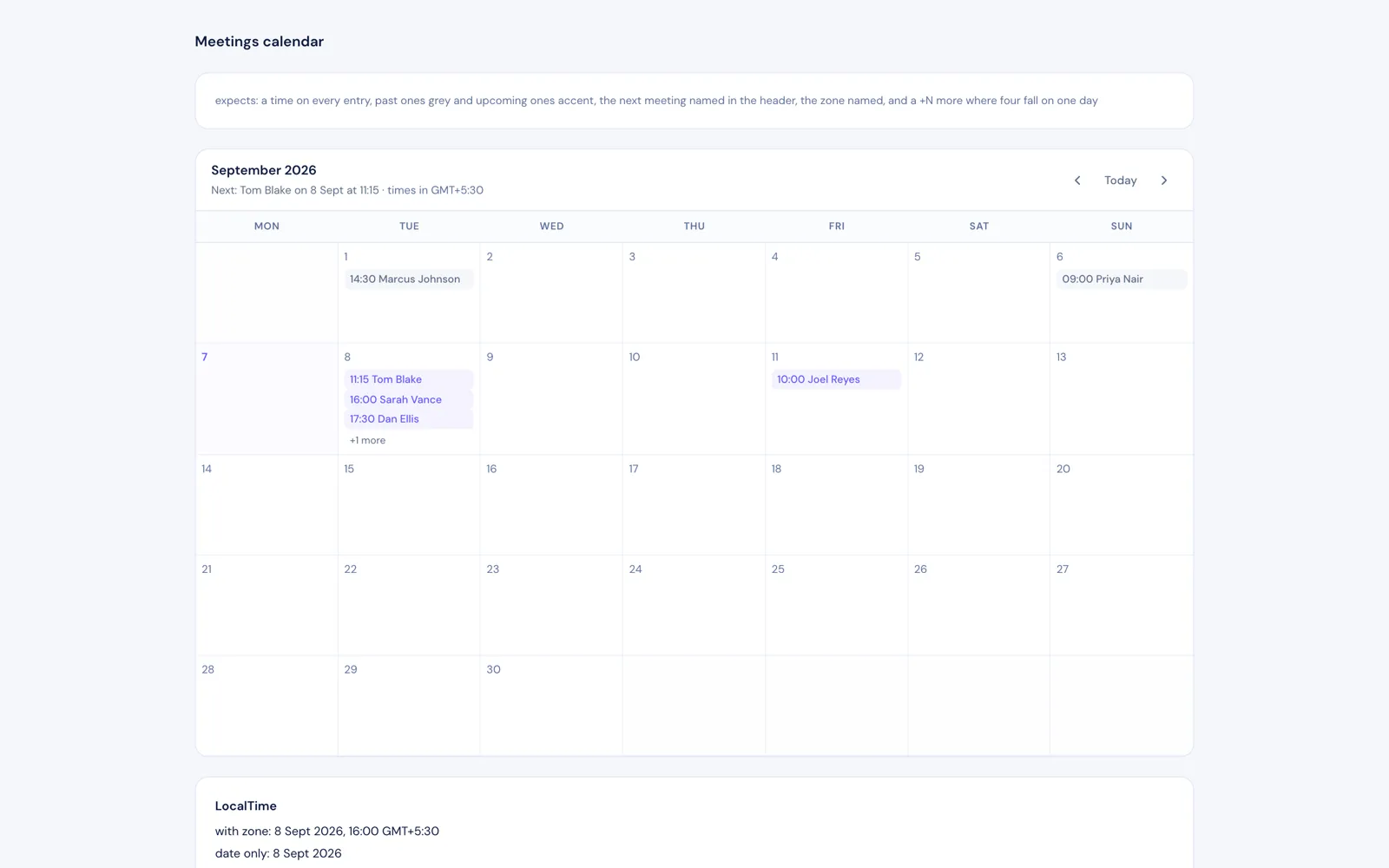
Meetings booked from interested replies.
Before and after
What changed for the team.
| Before | After |
|---|---|
| Prospect research and first emails written by hand | Contacts ingested, verified and enriched automatically |
| Follow-ups tracked in spreadsheets | Multi-step sequences that run on schedule |
| Replies sorted manually across inboxes | Replies and bounces classified, interested prospects routed to a person |
| No shared knowledge behind the messaging | Every email drafted from a curated knowledge base |
How we did it
How the ai outbound sales platform was built.
- 1Product design
A product reference document and kickoff that fixed what the first phase would and would not do.
- 2Platform
Next.js and Supabase with row-level security on every tenant row, so each workspace only sees its own data.
- 3Writing and retrieval
Claude writes each email using retrieval over a knowledge base, with personas and proof points the client controls.
- 4Run it simply
No separate worker or queue service. The queue is a table and three scheduled jobs do all the work.
The workflows
What runs now, and what sets it off.
- 01 Contact ingest
When a list is uploaded
ThenAddresses verified, contacts deduplicated and assigned to a campaign
- 02 Email generation
When a contact enters a sequence
ThenA personalised email written from the knowledge base and queued
- 03 Reply handling
When a reply or bounce arrives
ThenClassified, sequence paused, interested prospects routed to a person
- 04 Readiness checks
When a campaign is about to start
ThenDomains, inboxes and content checked, blockers listed before sending
Built with
The tools behind it.





Every account was created in the client's name.
What made it work
Keeping the machine simple. A table for a queue and three scheduled jobs made it cheap to run and easy to reason about.
What comes next
- LinkedIn research before the first email
- Do-not-contact lists shared across campaigns
For saas teams
Act on usage before the customer goes quiet.
The same pattern, built around your tools. Bring the one workflow your team still runs by hand and we will show you what this would look like for you.
Show us your funnel
Where this applies
The solutions this story proves.
- Industry
SaaS
Act on product usage, onboard without a spreadsheet, recover failed payments, give support the account on the ticket, and report revenue from live data.
- Function
Sales and RevOps
Reply to every lead in minutes, keep the CRM right without typing, and hand won deals over with nothing missing.
How it starts
Every story on this page started with an audit.
One to two weeks. We map the work your team still does by hand, put an hours-a-week figure on each piece, and give you a costed blueprint in order of payback. The $500 is credited in full to the build.
- Week 1 to 2Audit with the people who do the work.
- Week 3Blueprint: fixed scope, fixed price, first build chosen by payback.
- Week 4 onTwo-week sprints, working software every second Friday.
- After go-liveSixty days of hypercare. Accounts and code in your name.
More customer stories