
By function: Finance and accounting
Finance and Accounting Automation
Invoices go out from the event that earned them, reminders follow the due date, and the numbers are current before month end.
- First workflow live
- Invoice from the event, usually inside the first sprint
- Usually owned by
- Finance managers and controllers
- Built on
- Tally / Zoho Books, Xero, QuickBooks
- Judged on
- Days to invoice and Receivables ageing
Finance automation handles invoicing and payment reminders on a schedule, categorises expenses automatically, reconciles payments against invoices, and keeps dashboards current through the month. SBD integrates these around existing accounting systems such as Tally, Zoho, Xero and QuickBooks rather than replacing them.
Where the hours go in finance and accounting
Usually brought in by Finance managers and controllers, Founders who do the books on Sunday or Accountants working with a client's operations team.
Tick what is true for your team
Most teams that bring us in tick two or more.
- 01
Invoices go out late and reminders go out never
Billing depends on someone having time, so revenue is recognised later than it was earned and receivables age quietly.
- 02
Reconciliation is manual matching
Payments land without clean references, and somebody matches them to invoices by eye at month end.
- 03
Expense categorisation is a monthly backlog
Receipts accumulate and get sorted in one painful sitting, which is when errors and missed deductions happen.
- 04
The numbers are always last month’s
By the time the picture is accurate, the decisions it should have informed have already been made.
What we build for finance and accounting teams
Pick one to see what it does and the event that sets it off.
Automated invoicing and reminders
Invoices raised from the operational trigger that earned them, with reminders that escalate by age and stop the moment payment clears.
AI expense categorisation
Receipts and expenses classified as they arrive, learning your chart of accounts, with low-confidence items queued for review rather than guessed.
Payment reconciliation
Incoming payments matched against open invoices, with the payments that do not match listed for a person to resolve.
Live financial dashboards
Receivables, ageing, cash position and margin visible continuously and read straight from the accounting system.
How a finance and accounting build is judged
Each build has a target written into the blueprint, measured the same way before and after.
-
Days to invoice
BeforeDays after the work AfterSame dayTime from the triggering event to invoice sent
-
Receivables ageing
BeforeChased by memory AfterChased on scheduleOverdue amount by bucket, weekly
-
Close time
BeforeTwo weeks AfterDaysDays from period end to books closed
-
Reconciliation
BeforeMatched by eye AfterMatched automatically, exceptions listedShare of payments matched without a person
How finance and accounting changes from 10 people to 1,000
- 1 to 10people
Invoices raised when someone remembers, chased never, and reconciled at year end.
- 11 to 50people
A bookkeeper, a sheet of what is owed, and receipts in a drawer.
- 51 to 200people
An accounting system fed by exports, a close that takes two weeks, and a cash position that is always last month.
- 201 to 1,000people
Several entities, several currencies, and a reconciliation team doing by hand what the systems could do overnight.
Case studies from similar builds
- 5 to 10% sales lift
Automated cashback and loyalty system
Automated cashback payout processing for an industrial manufacturer, rules-driven calculation and payout without manual finance work each cycle.
Manufacturing · Read the story → - 40% less manual time
Order and dispatch management system
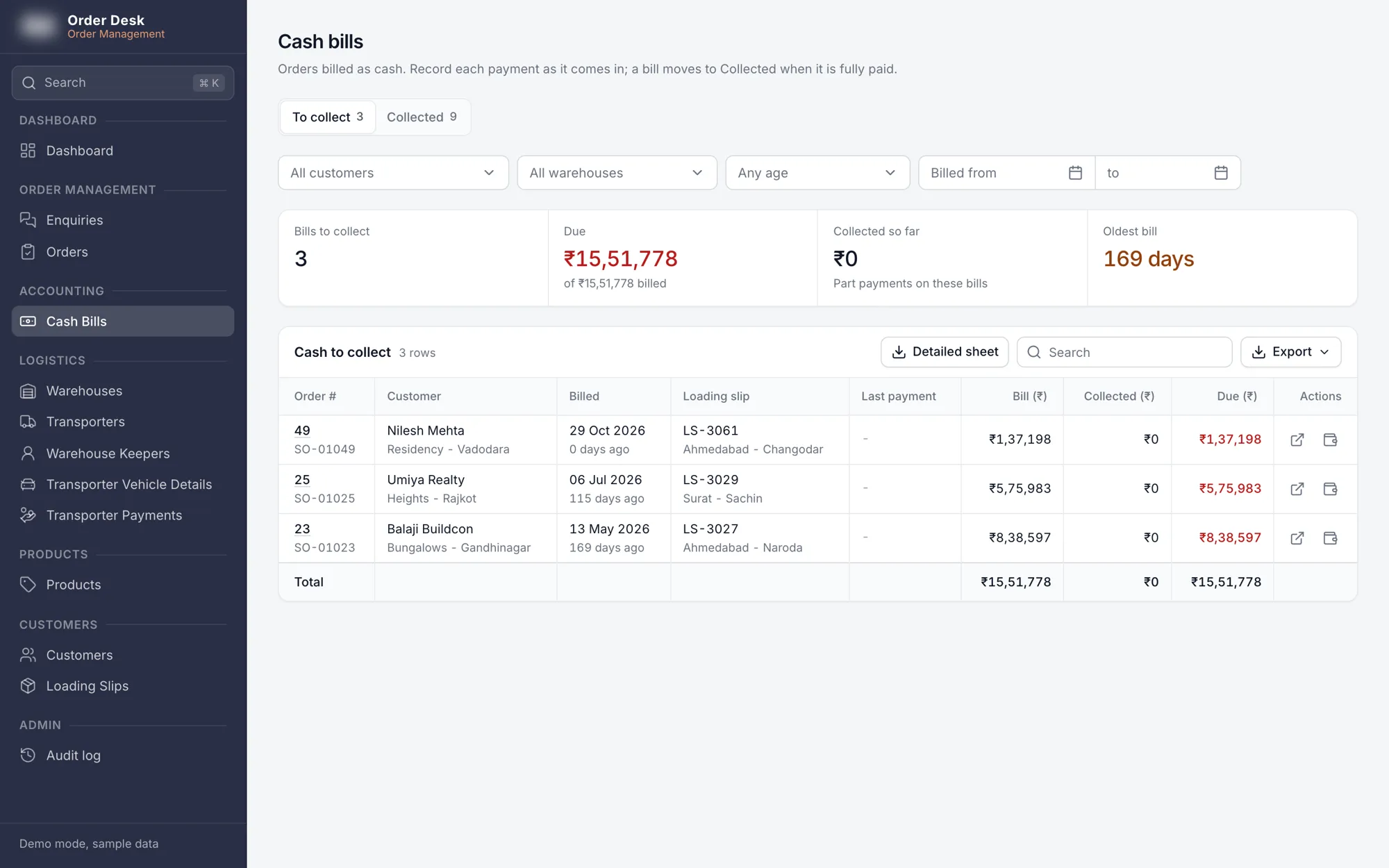
Invoices generated from the dispatch event, with nothing typed afterwards.
Distribution · Read the story →
Where last month’s close went
Bring last month's close. We will show you which days were typing, which were matching, and which could have been a nightly job.
Walk us through your close
What we leave out of scope
- Replacing your accounting system. Tally, Zoho Books, Xero or QuickBooks stays the ledger.
- Tax advice. We build the trail your accountant asks for.
Finance and accounting terms, in plain English
- Reconciliation
- Matching money that arrived to the invoices it paid, and listing what does not match.
- Ageing
- Overdue receivables grouped by how late they are: 30, 60, 90 days and beyond.
- Close
- The work of finalising the books for a period so the numbers can be trusted.
What people ask about finance and accounting automation
Do you replace our accounting software?
No. Your accounting system stays the system of record. We automate the work happening around it, raising invoices from operational events, chasing payment, reconciling receipts, and surfacing the numbers live, and write back into it through its API.
Is automated financial data safe to rely on?
The data comes from your accounting system, so it is as reliable as your books. Automation shortens the wait. The numbers are only as accurate as the data behind them. For anything involving judgement, such as unusual expense categorisation, we route to a person rather than let the system decide.
Which accounting systems do you work with?
QuickBooks, Xero, Sage, NetSuite, Zoho Books and Tally, among others. Invoices are generated in the tax format you file, whether that is VAT, sales tax or GST, with e-invoicing where your country mandates it.
Reading
-
 Systems
Invoice intake with an agent: the first thirty days
The first month of an invoice intake agent from the inside: how the queue behaves, which invoices escalate, and the three settings that decide whether it lasts.
-
 Pricing
The Zapier tax in 2026: what a 20-person team pays
Zapier now bills tasks, AI steps by model tier, and Agents in activities. A worked bill for a 20-person company, and what the same workflows cost on n8n.
Related
- Function
Back office
We take the re-keying, filing and approval chasing off your admin team and leave them the exceptions that need judgement.
- Industry
Distribution and logistics
Payment reminders follow the credit cycle, drivers capture proof of delivery on their phones, every channel sells from one stock count, and customers get an ETA before they ring.
- Function
Compliance and risk
We record the audit trail while the work happens, so preparing for an audit means running a report.
By function: Back office, Compliance and risk, Sales and RevOps, Customer support, Operations, Marketing, HR and people, IT, Leadership
Researching tools before hiring anyone? Read the best AI tools for accountants and cpas.
Related to this page
- GuideHow to automate accounts payable invoice processing
- Integrationn8n and QuickBooks Automation
- GuideHow much does AI automation cost? Prices and running costs
- ComparisonWhat an AI automation agency does, and what it costs
- ArticleWho maintains a Zapier, Make or n8n setup after launch
- Customer storyProperty operations automations and agent fleet
An audit of the finance and accounting work your team still does by hand
The audit takes one to two weeks. We map the workflows, put an hours-a-week figure on each, and give you a costed blueprint in order of payback. The audit is credited in full to the build.
- Week 1 to 2Audit. We sit with the people who do the work and map it.
- Week 3Blueprint, with a fixed scope and price and the first build chosen by payback.
- Week 4 onBuild in two-week sprints, working software every second Friday.
- After go-liveSixty days of hypercare, then a care plan or run it yourself.

























