Automation platforms
Make.com consultant: scenarios built, tidied and supported
SBD builds, audits and supports Make.com scenarios for teams that want a visual, hosted automation platform with proper error handling. Workflow automation builds start at $1,000, with the fixed price set after a $500 Automation Audit that is credited to the build.
- Tool
- make.com
- Usually paired with
- Airtable, Shopify, Cloudflare, WhatsApp Business API
- Timeline
- Most builds live in 2 to 8 weeks
- Owned by
- You, with accounts, credentials and code in your name.
What we build on Make
- Build scenarios with retries, queues and error routes
- Keep operation counts down by pre-processing at the edge
- Migrate from Zapier where per-task pricing hurts
- Document and monitor scenarios so others can follow them
What we sync
Workflows we are asked for
- Make scenario audit and cleanup
- Zapier to Make migration
- Make error handling and alerting
- Make with Cloudflare Workers for heavy steps
Full write-ups of Make integrations
-

SmartSuite and Make
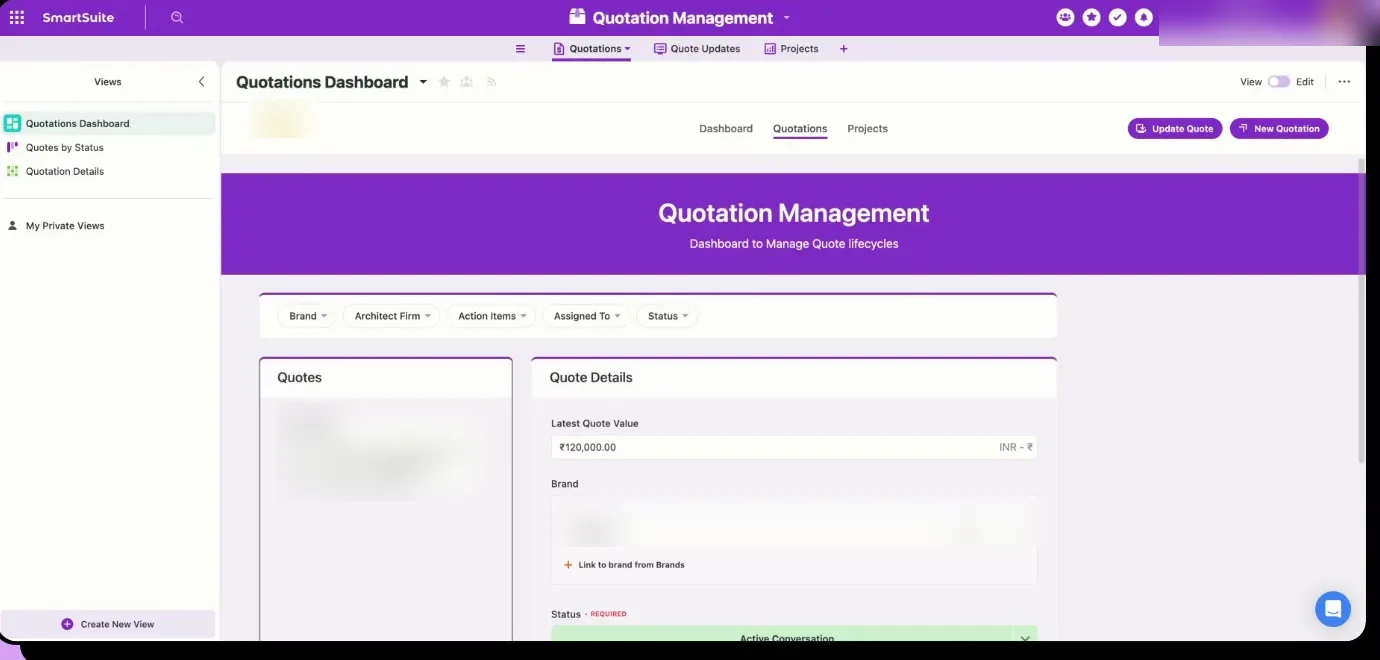
SmartSuite holds the record, and Make sends changes to the other systems within the API quota.
-

Razorpay and Make
Payouts that go out without manual processing, with checks before the money moves and a record after it does.
-
Google Sheets and Make
Automation around the sheets your team already uses, designed so that the running costs stay low.
Tools Make usually needs to talk to
-

Make and Airtable
A relational database with a spreadsheet face, used as the operations base for teams who have outgrown sheets.
-
Make and Shopify
The storefront for most of the e-commerce businesses we work with.
-

Make and Cloudflare
DNS, edge functions, storage and security in front of your apps.
-

Make and WhatsApp Business API
The channel customers in most markets reply on, with templates, sessions and consent rules.
-
Make and Axiom.ai
A browser automation and web scraping tool, used to click, read and type through websites and portals that have no usable API.
What a Make automation agency like SBD builds
Make is one of several platforms we build on.
We pick it when your team wants a visual builder they can read and adjust, the apps you rely on have good Make modules, and the workflows branch more than Zapier handles comfortably. We decide after the audit, once we know what the work needs.
Three published SBD projects run on Make. For a D2C watch reseller we built a sales channel inventory sync: SmartSuite holds each product once, and Make scenarios push changes out to Shopify, eBay and Chrono24. For an industrial manufacturer we built a QR-based cashback and loyalty system on Make with Cloudflare Workers and Razorpay payouts. For a five-person photo studio we built project and task management on Google Sheets and Make, with Apps Script and Cloudflare Workers taking the heavier processing to keep credit use, and cost, down.
That last pattern is common in our Make work: Make orchestrates, and a small piece of code at the edge does the bulk transformation so you are not paying a credit for every row.
When Make is the right choice, and when it is not
A good fit
Make suits teams who like a no-code canvas but run longer scenarios than Zapier prices well. Routers, filters, iterators and error handlers are first-class, so a scenario can show its own logic to whoever opens it next. It also lists more than 3,000 native apps, so most of the tools a growing business uses already have a module, and the HTTP module covers the rest.
The honest test is who will look after it. If someone on your team is comfortable opening a scenario and following the routes, Make keeps day-to-day changes in house and our role shrinks to the harder builds and monitoring.
We will recommend something else when
- Workflows have many steps and run often; Make bills most module actions, so n8n's per-run pricing can be cheaper.
- Data must stay on your own servers; Make is cloud only, and n8n can be self-hosted.
- Heavy data processing is the core of the job; that belongs in code or a database, with Make calling it.
- Staff will only ever build two-step automations themselves; Zapier's simpler builder may suit them better.
How Make credits work, and the limits worth knowing
- 01
Make bills in credits. Its help text says each action a scenario performs consumes credits, and most actions consume one. Reading data, creating or updating records and transforming data all count, including the trigger module. Router and error handler modules do not consume credits. Unused credits expire at the end of the term, and extra credits bought on top expire after a month on monthly plans.
- 02
The Free plan includes 1,000 credits a month, 1 MB of data storage and one data store.
Paid plans (Core, Pro, Teams, Business and Enterprise) scale credits with a slider, and each 10,000 credits a month comes with an allowance for data transfer, data storage and the webhook queue. How often a scheduled scenario can run depends on the plan.
- 03
Because billing is per action, design decides cost.
Filtering early, aggregating instead of looping, and moving bulk work to a webhook-called function are the main levers we use. Our n8n vs Make vs Zapier guide shows the arithmetic at three volumes.
How hiring a Make expert from SBD works, and what it costs
- Step 1$500Automation AuditCredited to the build
- Step 2from$1,000Workflow automationFixed after the audit
- Step 3from$50Care planA month, after sixty days of hypercare
Every engagement starts with an Automation Audit at $500, credited in full to your build. For an existing Make account that includes a scenario review: what each scenario does, where it fails silently, and where credits are being spent for nothing.
Workflow automation builds start at $1,000, and the fixed price is set after the audit and agreed before work begins. Work runs in two-week sprints with working scenarios at every review, and sixty days of hypercare are included. Care plans then start at $50 a month for monitoring, alerts, support with a stated response time and small monthly changes. There is no hourly billing; see the pricing page.
Your Make subscription is paid by you, to Make, from an organisation in your name. We estimate credit use during the audit so the monthly bill is known in advance.
What you own, and moving to or from Make
Everything below is in your name when the build ends.
- The Make organisation, every connection and every scenario sit in your account.
- We export scenario blueprints, name modules so they read in plain English, add error routes that alert a named person, and write a short runbook for each scenario.
- Anyone with Make experience can take it over.
- Migrations run both ways.
- Teams move from Zapier to Make when per-task pricing hurts on longer workflows.
- Teams move from Make to n8n when volume climbs, when they need to self-host, or when scenarios have grown into code in disguise.
- Either way we rebuild rather than copy, run old and new in parallel, then switch off the old version.
- Before any move we count your real monthly runs and steps, convert them into each platform's billing unit and price them at published rates, so the decision rests on your own numbers.
- If staying where you are is cheaper, the audit will say so.
Make at enterprise scale
Make is used across larger companies by operations, marketing, finance and revenue teams who want to build visually and connect many SaaS tools without waiting on engineering. Make's enterprise page lists single sign-on, role-based access, audit logs, real-time analytics, scenario tagging and Make Grid, a live map of automations and agents across the company. It cites SOC 2 Type II and ISO 27001.
Ownership and role-based access
Make estates in larger companies often belong to whoever built them. We map every scenario, connection and webhook to a team and a named owner, set up teams and roles so builders can change only their own area, and replace personal connections with service accounts where the connected app allows it.
Error handling and change control
We add error handlers, retries and alerting to production scenarios, clone scenarios for testing rather than editing live ones, and keep a change log in the scenario notes or a shared register. Large changes are tested on copies with sample data before the production version is switched over.
SSO, audit logs and security reviews
On the Enterprise plan, where Make documents SSO and audit logs, we connect sign-in to your identity provider and agree who reviews the logs. For questionnaires and DPAs about the work we deliver, our trust centre and security page describe how SBD handles access and data.
Visibility across the estate
We use scenario tagging and folders to group work by department and system, and where your plan includes Make Grid or analytics we use them to find unused, duplicated or costly scenarios. You get a register of what runs, how often, and what it costs in credits.
Credit cost and scale
We review the scenarios that use the most credits, cut needless polling and redundant steps, and batch work where possible. When a scenario is in effect storing and querying data, we move that data to Postgres or your warehouse and let Make handle the integration steps.
Standards and training
We write naming rules, a documentation template and a short checklist for new scenarios, then train the people in each department who build. A small group, often in operations or IT, becomes the review point, so growth stays orderly without blocking teams.
Engagements we take on
Rebuild a fragile Make estate with error handling and docs
Hundreds of scenarios were built over several years, some by people who have left, and failures surface as complaints from colleagues. We inventory the estate, retire what is unused, rebuild the critical scenarios with error handlers and alerts, and document each one. You end with fewer scenarios, known owners and a register.
Already on Make across departments, need governance
Marketing, finance and operations all build in Make with different habits. We set up teams, roles and folders, agree naming and documentation standards, and set a light review process for anything touching finance or customer data. We train one builder in each department so standards hold after we leave.
Cut Make credit spend without losing automations
Credit usage has grown faster than value. We profile the most expensive scenarios, remove frequent polling where webhooks are available, merge duplicates and move heavy data handling out of Make. You see the before and after usage in Make's own reports and a list of every change we made.
Connect Make to your ERP and identity systems
You want Make scenarios to read and write to an ERP or core CRM safely. We design the integration with service accounts, scoped permissions and error handling, test against a sandbox where your ERP provides one, and document the data mapping so your ERP team can review and approve it.
Read next
Sources
- Make, Enterprise page (SSO, role-based access, audit logs, analytics, Make Grid, SOC 2 Type II and ISO 27001, customer stories), checked 29 October 2026
- Make, Pricing page (plans, Free plan credits and storage, how credits are counted, credit expiry, usage allowance, 3,000+ apps), checked 29 October 2026
- Make, Help centre: scheduling a scenario (minimum interval depends on plan)
Standards on every build
Validation, retries, reconciliation, audit logs and alerts come as standard, with credentials and accounts in your name. Read the integration standards
What people ask about Make
Make or n8n?
Make for teams that want hosted and visual with a wide module library. n8n for teams with a technical owner, higher volumes or a need to self-host.
Related to this page
- ServiceFix a Make scenario that keeps erroring, deactivating or running twice
- Guiden8n vs Make vs Zapier: how to choose in 2026
- SolutionWhatsApp automation for business, on the official platform
- ServiceWe fix Zapier, Make and n8n automations that have stopped working
- BuildLead capture and follow-up for a marketing agency
- GuideHow much does AI automation cost? Prices and running costs
Start with the one Make workflow your team still runs by hand
Bring it to a discovery call. You leave with a yes or no on fit, an outline of the build and what we would do first.
Book the call