Accounting and finance
Zoho Books integration consultant: invoices raised where the work happens
SBD builds Zoho Books integrations for teams of 1 to 1,000 people, so invoices, contacts, items and payments flow from the systems where orders and jobs start, within Zoho's limits and with every write logged. Workflow automation builds start at $1,000 and internal tools at $3,000, with the fixed price set after a $500 Automation Audit that is credited to the build.
- Tool
- zoho.com
- Usually paired with
- Airtable, Razorpay, WhatsApp Business API, Zoho CRM
- Timeline
- Most builds live in 2 to 8 weeks
- Owned by
- You, with accounts, credentials and code in your name.
What we build on Zoho Books
- Raise invoices from approved orders
- Sync payments and balances to operations
- Keep customers in step with the CRM
- Post store and payment gateway settlements
What we sync
Workflows we are asked for
- Airtable orders to Zoho Books invoices
- Zoho Books payments to operations
- Razorpay settlements to Zoho Books
- Overdue invoice follow-up on WhatsApp
Full write-ups of Zoho Books integrations
Tools Zoho Books usually needs to talk to
-

Zoho Books and Airtable
A relational database with a spreadsheet face, used as the operations base for teams who have outgrown sheets.
-

Zoho Books and Razorpay
Payments, payment links and payouts, widely used by businesses selling in India and Southeast Asia.
-

Zoho Books and WhatsApp Business API
The channel customers in most markets reply on, with templates, sessions and consent rules.
-

Zoho Books and Zoho CRM
Zoho's CRM, common in companies already on Zoho Books or Zoho One.
What a Zoho Books integration from SBD does
Zoho Books is common among the growing businesses we work with, often next to an operational system it was never connected to.
Orders are tracked in a spreadsheet or a custom app, and invoices are raised by someone copying the order into Zoho Books. Payments come in through a gateway and are matched by hand. The work is to make the operational system the place where an invoice is triggered, and Zoho Books the place where it is recorded, without anyone retyping.
Typical builds are invoices raised automatically when an order reaches a set status, contacts and items kept in step between Zoho Books and a CRM or catalogue, payments from a gateway applied to the right invoices, and invoice PDFs fetched and sent through the channel the customer reads.
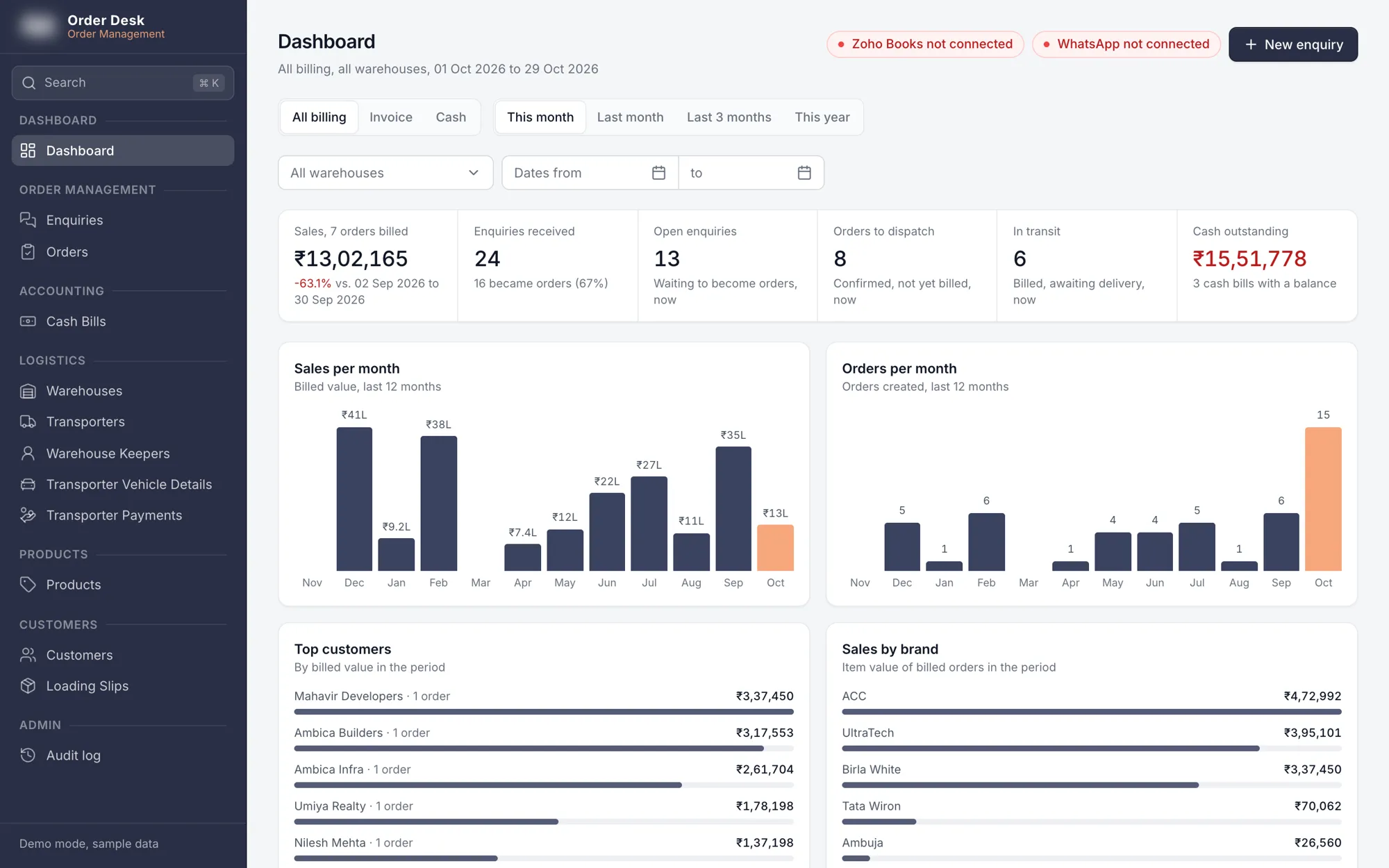
We have built this. For a building materials supplier we built an order and dispatch system on Retool that raises invoices in Zoho Books and sends WhatsApp updates to transporters, warehouse staff and customers at each status change. The integration handles contacts, items, invoices and invoice PDFs, and manual time fell by 40%.
When a custom integration beats Zoho Flow or a native connector
A good fit
Zoho Books connects natively to other Zoho apps, and Zoho Flow and the built-in workflow rules cover many simple automations. If your whole stack is Zoho, start there; we will say so in the audit.
A custom build pays off when
- The system that knows about the order is not a Zoho product, and its data needs shaping before it becomes an invoice.
- Invoices must follow business rules such as partial dispatches, price lists per customer or tax by state, that a simple connector cannot follow.
- Your plan does not include workflow rules, or you need more webhooks a day than the plan allows.
- Someone must approve an invoice, a credit note or a payout before it goes out.
- You need an audit log of every record written, by whom and from where.
Zoho Books API limits, data centres and tokens
From the Zoho Books API documentation in October 2026: each organisation may make 100 requests a minute
Daily limits depend on plan: 1,000 requests on Free, 2,000 on Standard, 5,000 on Professional, and 10,000 on Premium, Elite and Ultimate. Concurrent calls are limited to 5 on the Free plan and 10 on paid plans, described as a soft limit. Going over any of these returns HTTP 429. A sync that fetches each record individually can spend a Standard plan's daily allowance before lunch, so we page lists, cache what does not change, and fetch only what moved.
Two details catch integrations out
Every request must carry an organization_id, because one login can hold several organisations, each with its own currency, tax settings and contacts. And Zoho Books runs in nine data centres with different API domains, including the US, Europe, India, Australia, Japan, Canada, China, Saudi Arabia and the United Arab Emirates. An integration built against zohoapis.com fails quietly for an organisation hosted on zohoapis.in or zohoapis.eu, so the domain is read from the token response rather than hard-coded.
Authentication is OAuth 2.0
Access tokens are valid for one hour. Refresh tokens do not expire until revoked, but each user can hold at most 20; when a twenty-first is issued, Zoho deletes the oldest, whether or not it is in use. Every time someone re-runs the consent flow while testing, a live integration can lose its token. We create the connection once, from a dedicated user where possible, and record who owns it.
Zoho Books webhooks and workflow rules
- 01
Outbound webhooks in Zoho Books are set up as an action inside workflow rules.
Zoho's US help pages state that workflow rules are available on the Professional, Elite and Ultimate plans, with up to 200 rules per plan and 10 per module, one webhook per rule, and 1,000 webhooks triggered per day. The webhook can use POST, PUT or DELETE. Zoho allows 5 seconds to connect and 10 seconds to read, retries a failed delivery 5 times by default, and allows a custom policy of up to 20 retries. A secret token signs each request with HMAC SHA-256 in the X-Zoho-Webhook-Signature header, and the token cannot be viewed again once the webhook is saved, so we store it in your secrets manager at creation.
- 02
Zoho also warns that contact details such as names, phone numbers, addresses and email addresses are sent to the target URL.
We point webhooks only at endpoints you own, verify the signature on every call, and keep the payload out of logs that more people can read than need to.
Zoho Books gotchas, and how an engagement works
- Step 1$500Automation AuditCredited to the build
- Step 2from$1,000Workflow automationFixed after the audit
- Step 3from$3,000Internal toolsFixed after the audit
- Step 4from$50Care planA month, after sixty days of hypercare
Contacts and items are matched on stored Zoho IDs, because names change. Tax is set from the organisation's own tax settings, which differ by country edition, so we do not calculate it outside Zoho Books and push it in. Invoices that need changes after they are sent are corrected with credit notes so the audit trail holds.
Every engagement starts with an Automation Audit at $500, credited in full to your build. We trace orders from the operational system to Zoho Books, check your plan's API and webhook allowances against expected volume, and give you a ranked list of fixes with fixed prices. Workflow automation builds start at $1,000, internal tools at $3,000 and multi-module systems at $5,000. We build on n8n, Make, Retool, Supabase or custom code. Work runs in two-week sprints, anything that sends money or contacts a customer for the first time needs a person to approve it, and sixty days of hypercare follow go-live. Care plans start at $50 a month. See the pricing page.
What you own when the build is finished
Everything below is in your name when the build ends.
- The Zoho API client, the workflows, the logs and the secrets are created in accounts you own.
- You receive a mapping document for contacts, items, taxes and invoice fields, a runbook per integration that says what failure looks like and who is alerted, and a guide for your accounts team on fixing and resubmitting a rejected record.
- If you outgrow Zoho Books or move to Xero or QuickBooks, the mapping document is the starting point, and the operational system keeps working while the ledger changes underneath it.
Zoho Books at enterprise scale
Larger organisations typically run Zoho Books in finance teams of distributors, manufacturers, service firms and multi-entity groups, often alongside Zoho CRM or Zoho Inventory and a custom operational system. Several organisations under one login is common, each with its own currency and tax settings.
Multiple organisations
Each organisation has its own ID, limits and settings. We keep a configuration per organisation, name it in every log line, and test each one separately before go-live.
Data residency
We confirm which Zoho data centre each organisation is hosted in and build against that domain, so data stays where your contract says it is.
API budget
We size calls per organisation per day against your plan during the audit, page and cache reads, and alert before the daily limit is reached.
Approvals
Credit notes, refunds and payouts wait for a named person to approve them. Approvals are logged with who, when and what changed.
Token ownership
Connections are made from a dedicated user, with the 20 refresh token limit written into the runbook so testing does not revoke a live connection.
Audit trail
Every write records the source record, the payload, the Zoho ID returned and the time, so finance and auditors can trace any figure back to its origin.
Engagements we take on
Already on Zoho Books, invoices typed by hand
Orders reach a dispatch status in one system and someone raises the invoice in another. We trigger the invoice from the status change, attach the PDF, and send it on the channel the customer reads, as in our order management build.
Already on Zoho Books, near the daily API limit
An integration fetches every record every run and hits 429 errors by mid-afternoon. We rebuild it to page, cache and fetch only what changed, and add an alert at a set share of the daily budget.
Already on Zoho Books, several organisations
Each entity has its own organisation and the group view is assembled in a spreadsheet. We pull the figures into one reporting table with the mapping documented and each organisation checked separately.
Read next
Sources
- Zoho Books, API introduction (organisation ID, data centres, per-minute, daily and concurrent limits), checked 29 October 2026
- Zoho Books, API OAuth (access token lifetime, refresh tokens, 20 token limit per user), checked 29 October 2026
- Zoho Books, Help: webhooks as workflow actions (methods, retries, timeouts, signature), checked 29 October 2026
- Zoho Books, Number of workflows permitted (plans, rules, webhooks per day), checked 29 October 2026
Standards on every build
Validation, retries, reconciliation, audit logs and alerts come as standard, with credentials and accounts in your name. Read the integration standards
What people ask about Zoho Books
Which data centre?
Zoho has regional data centres with different API hosts. We confirm yours in the first call so tokens and URLs are right from the start.
Related to this page
- IntegrationZoho Books and Airtable Automation
- IntegrationWhatsApp Business API and Zoho Books Automation
- BuildBuilt with Zoho Books
- SolutionDistribution automation for stock, deliveries and cash
- SolutionRetail and wholesale automation, built around how you sell
- Customer storyOrder and dispatch management system
Start with the one Zoho Books workflow your team still runs by hand
Bring it to a discovery call. You leave with a yes or no on fit, an outline of the build and what we would do first.
Book the call